August 5, 2026
A restaurant menu gets handled hundreds of times a week — spilled sauce, wet hands, constant flipping — so printing one is a different job than printing a paperback. This guide covers writing the copy, picking a binding that survives nightly service, and getting a print-ready file to your printer in 2026.
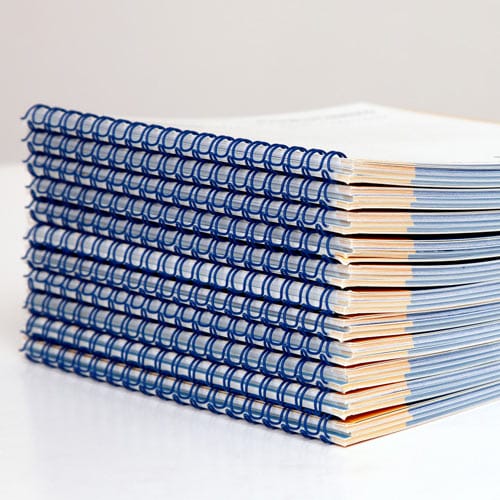
A menu is the only printed piece a restaurant hands to every single customer, so wear shows fast. A menu on flimsy paper with a stapled spine starts curling at the corners within a month of nightly service, and the staple itself loosens after a few hundred open-and-close cycles. Restaurants that get this right lean on binding built for repeated handling — spiral-bound menu printing holds up under wet hands and heavy tables in a way a booklet never will.
Price changes, seasonal rotations, and menu updates all mean your menu book needs a format you can reprint in small batches without waiting weeks or paying for thousands of copies you don't need.
Group dishes the way customers actually scan a page — appetizers, entrees, sides, desserts, drinks — not the order the kitchen invented them. Clear category headers cut ordering time and reduce back-and-forth with servers. Keep dish names under six words and descriptions under twenty; anything running past two lines gets skipped by a hungry table. Finalize every price before the file goes to print — a menu book isn't a single sheet you swap for a few dollars in ink. Common mistake: leaving seasonal or market-price items baked into the main layout instead of on a removable insert page.
Pick the trim size before you touch layout — an 8.5" x 11" book fits most tabletop stands, while a 6" x 9" panel menu suits compact café tables. Page count decides your binding options later, so lock it now: a 4-page menu behaves differently in production than a 24-page wine-and-food book. Full-service restaurants with wine lists, dessert pages and seasonal inserts often land at 12-20 pages; quick-service spots run 2-6. Outcome: a locked page count means your printer can quote binding and cover stock accurately instead of guessing.
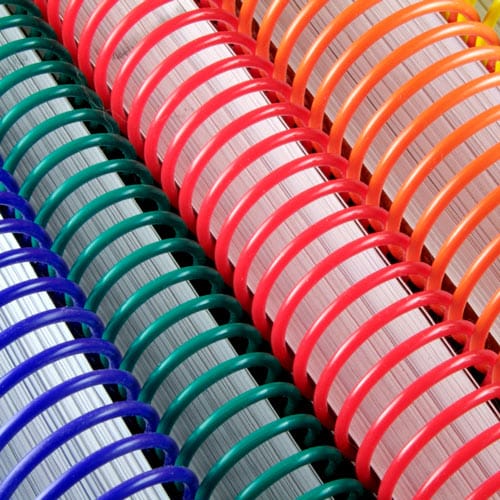
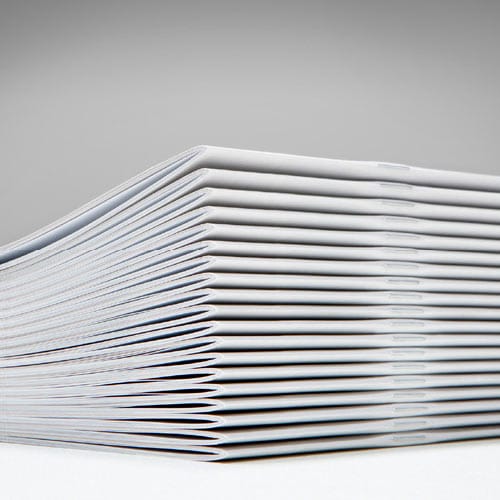
This decision determines how long your menu book survives. A stapled saddle-stitch booklet is the cheapest option, but the spine loosens after weeks of repeated opening at a table. Wire-O and plastic coil bindings let the book lay fully flat and don't crack at the fold, which matters when a menu sits propped open for 45 minutes at a time. Weigh the mechanics in perfect binding vs saddle stitch before locking a spec — page count and reprint frequency should decide the call, not price per unit alone. Common mistake: choosing perfect binding for a menu under 40 pages; the glue spine cracks under the flexing a tabletop book takes every service in 2026.
Menus get touched by food, wet hands, and cleaning spray, so stock choice matters more here than in a novel. A 10 pt or 12 pt gloss or matte cover holds up to wipe-downs far better than an 80 lb uncoated sheet. Interior pages carrying photos need a coated stock to keep color from bleeding under handling; text-only pages can run a 70 lb uncoated sheet and cost less per copy. Check the paper stock guide for weight recommendations if your menu book runs full-color food photography throughout. Outcome: stock built for wipe-downs stretches the working life of every copy in circulation.
Set full bleed at 0.125" on every page carrying a photo or color background so nothing prints with a white edge after trimming. Keep body text at 10-12 pt for dim dining rooms — anything smaller forces guests to hold the menu closer to read prices. Leave a 0.5" margin on the binding edge so text doesn't disappear into a Wire-O coil or a perfect-bound spine. Common mistake: picking a decorative display font for dish names that reads fine on screen but blurs at print resolution under 300 dpi.
Pull a physical proof, not just a PDF on screen — screen color and printed CMYK don't match, and food photography is the fastest place to spot the gap. Check every price twice against your point-of-sale system; a wrong price on a menu is a legal problem, not a typo. Confirm bleed, margins, and embedded fonts are correct in the final file before it goes to print. Outcome: a proofed file catches errors on one copy instead of two hundred.
Menu books change more than a novel does — a supplier swaps a fish dish, a price ticks up, a seasonal item disappears. Order 25-50 copies first even if the dining room needs 150, and hold the full reprint until the new menu has run for a week with no fixes needed. Publishing Xpress and similar short-run printers don't require large minimum order counts, so a small test batch doesn't carry the per-unit penalty it would with an offset print run. Common mistake: locking in 500 copies before a single service night proves the layout works on real tables.
Pages won't lay flat on the table. Switch from saddle stitch or perfect binding to Wire-O or plastic coil — both open to a full 180 degrees and stay flat under a plate or elbow.
Menu curls after lamination. Laminate at a lower gauge (3-5 mil) instead of a heavy 10 mil, and store finished copies flat rather than rolled for the first 48 hours.
Ink smudges near food photography. Request a coated gloss or satin stock for any page carrying full-color images — uncoated stock absorbs ink unevenly and smudges under fingertips.
Prices go out of date faster than the reprint schedule. Keep core dishes and prices locked in the main book, and run a one-page insert for seasonal items so a full reprint isn't needed every time a supplier cost changes.
The book is too heavy to hand-carry comfortably. Drop to a lighter interior stock (60-70 lb instead of 80-100 lb) for text-only pages and reserve heavier stock for the cover only.
"A menu that can't lay flat under a plate for 45 minutes isn't built for a real dining room."
If your restaurant menu book doubles as a recipe showcase, or you're planning a companion piece for takeout guests, the cookbook printing for restaurants guide covers binding and stock built for kitchen and dining use, not just tabletop service.
What’s the best binding for a restaurant menu book in 2026?
Wire-O binding is the best choice for a restaurant menu book handled nightly in 2026 because it lays fully flat and doesn’t crack at the fold. Plastic coil is a close second for menus reprinted often on a tighter budget.
Is Wire-O better than saddle stitch for menus?
Yes, for menus over 16 pages or handled nightly, Wire-O outperforms saddle stitch because the staple spine on a stitched booklet loosens under repeated flipping. Saddle stitch still works fine for short, low-traffic menu inserts.
How much does it cost to print a menu book?
Cost depends on page count, binding, and paper stock, with short-run printers pricing per copy rather than requiring large minimum orders. Get a quote based on your exact page count and stock choice before budgeting a full print run.
What paper stock resists grease and spills best?
A 10 pt or 12 pt gloss or matte cover stock resists grease and fingerprints far better than uncoated paper. Interior pages with food photography should also run on coated stock to keep colors from bleeding under handling.
How many copies should a restaurant order for its first print run?
Order 25-50 copies for a first run even if the dining room needs more, then hold the full reprint until the new menu has run a week without needing a fix. This avoids paying to reprint a menu with an error already in circulation.
Can I laminate a menu book instead of choosing heavier stock?
Yes, lamination adds spill and grease resistance to a lighter stock, but a 3-5 mil gauge holds up better than heavy 10 mil laminate, which tends to curl. Heavier cover stock without lamination is often more durable for daily handling.
How often should a restaurant reprint its menu book?
Most restaurants reprint every 3-6 months as prices or seasonal dishes change, though a locked core menu with a removable insert page can stretch that interval. Reprint sooner if the physical copies start showing visible wear.
Does a menu book need a minimum page count?
No, menu books can run as short as 2-4 pages for quick-service formats or 20 or more pages for full-service dining with wine and dessert sections. Page count should match binding choice, since some binding types work better past a certain thickness.
Most independent restaurants over-order their first menu print run by roughly three times what they actually need, because they're thinking in book quantities instead of table counts. A 40-seat dining room rarely needs more than 60-80 copies in active circulation at once, counting a stack behind the host stand and a few spares for damaged copies — order to that number first, then reprint once the layout proves itself on real tables in 2026.
© 2026 Publishing Xpress. All Rights Reserved.