October 6, 2026
Instead of manually handling every bookstore inquiry and shipment, use IngramSpark to bookstore distribution to let participating booksellers order through Ingram, then pitch stores for shelf placement. This 2026 workflow covers title setup, print files, distribution terms, bookstore outreach, and a separate short-run printing route for copies you supply yourself.
Distribution and shelf placement are different jobs. IngramSpark provides a route into Ingram's distribution network. A bookstore still decides whether your book fits its customers, purchasing terms, and merchandising plans.
Publishing Xpress short-run book printing is best for self-publishers who need copies to supply directly. It serves a different purpose from a wholesale distribution account; ordering printed books does not replace setting up your title for bookseller ordering.
Use the guide to distributing a self-published book to bookstores for the broader sales approach. Here, focus on making the edition, files, terms, and buyer handoff agree before you contact stores.
For your 2026 launch, keep a master edition sheet outside the platform. Record the ISBN, title, subtitle, author name, imprint, format, dimensions, and final filenames. This becomes your reference when a bookstore asks a question or a file needs replacing.
Start with the edition record, not the upload. Files that print correctly still create confusion when the cover, copyright page, and catalog record identify different books.
Expected result: Your account contains a print-title record whose ISBN and physical specification identify the exact edition you intend to sell.
Write the description for a reader, but keep the edition information useful to a buyer. Explain the subject, audience, and central appeal without inserting a sales pitch into contributor or subtitle fields. A bookstore needs to understand both what the book is and where it belongs.
Build the cover only after the interior page count and physical specification are settled. This prevents an otherwise finished cover from having the wrong spine or trim geometry.
Expected result: The approved files match the title specification, and the printed book represents the edition described in your catalog record.
A useful 2026 file-control rule is to save the approved interior, cover, template, and edition sheet together. Label revisions clearly. Otherwise, a corrected interior can accidentally be paired with an older cover that no longer fits.
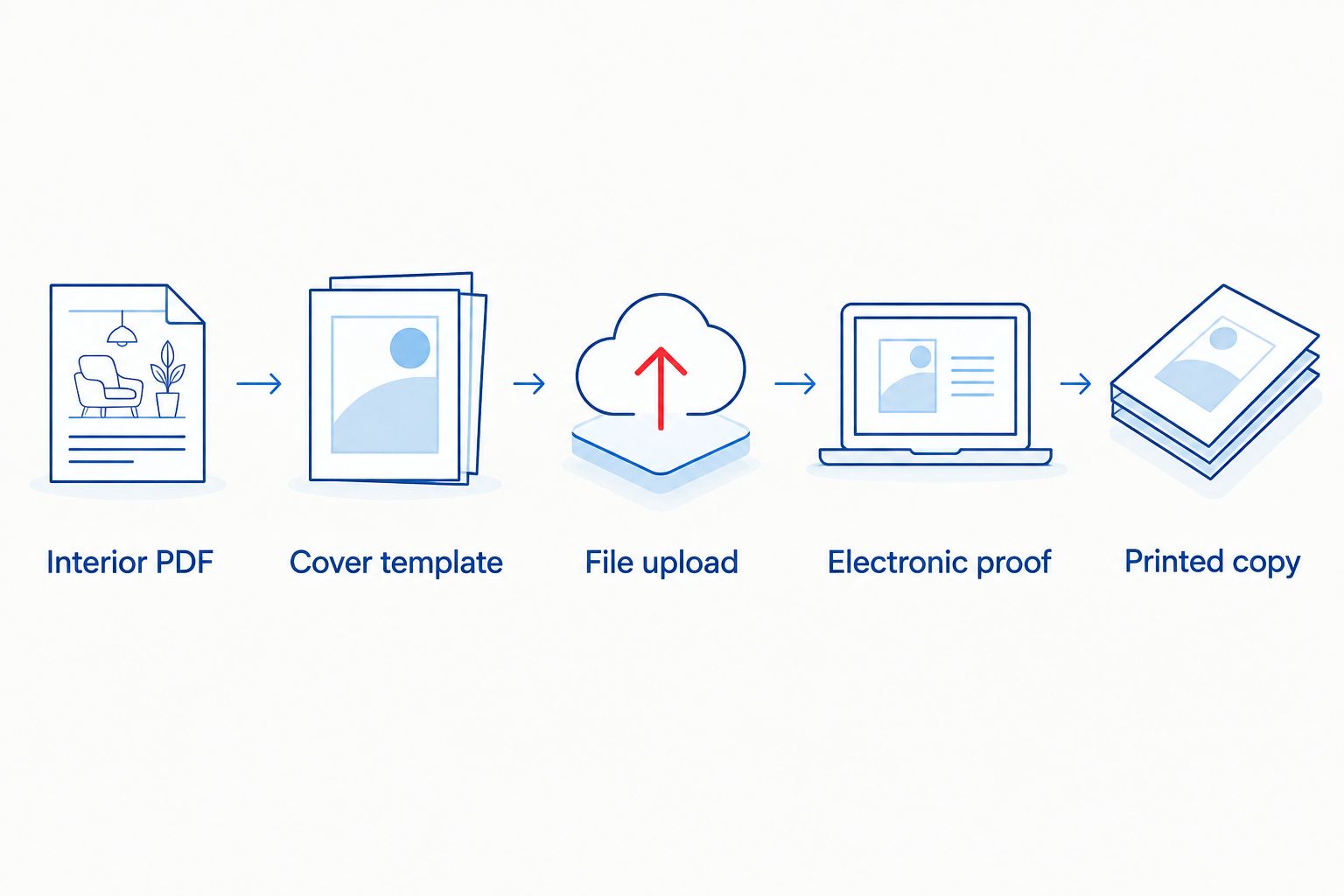
Choose terms you understand before enabling distribution. Wholesale discounts affect publisher compensation, and accepting returns creates a financial obligation. Neither setting forces a bookstore to carry your title.
Expected result: Distribution has been enabled for the approved edition, and a bookseller lookup confirms that the intended record has reached the buyer's ordering system.
Do not promise a bookstore an immediate catalog update. Distribution changes pass through other systems, and a publisher-side confirmation is not the same as a completed buyer-side update. For a 2026 event, verify the record before announcing how the host store will obtain copies.
A catalog record removes an ordering obstacle. Your pitch gives a buyer a reason to consider the book.
Expected result: The buyer has the correct edition details, a relevant reason to evaluate the book, and a clearly agreed next step.
Separate your outreach records from sales records. A positive reply, a request for a review copy, and a completed purchase are different outcomes. Track them separately so your launch planning rests on confirmed arrangements rather than encouraging conversations.
Use a direct-supply workflow when a bookstore agrees to receive your copies for an event, direct purchase, or consignment. Publishing Xpress provides short-run printing for that physical-copy route; the bookstore agreement remains your responsibility.
| Route | Best for | Main advantage | Main limitation |
|---|---|---|---|
| IngramSpark distribution | Authors seeking a wholesale ordering route | Participating booksellers can use their established Ingram ordering process | A distribution record does not secure shelf placement |
| Publishing Xpress short-run printing | Authors supplying copies directly | Produces books for your agreed direct-supply arrangement | You manage delivery, store terms, and unsold-copy arrangements |
Use the route the buyer agrees to, not the route most convenient for you. A wholesale purchase and a consignment arrangement require different handling, even when the physical book is identical.
Expected result: The bookstore receives the agreed edition under documented terms, without confusing your direct inventory with the wholesale distribution workflow.
Check the ISBN for transcription errors, then confirm that you enabled distribution rather than merely completing title setup. Ask the bookseller which system it searched and whether it found a different format. Give IngramSpark support the ISBN and the specific lookup problem if the record still does not appear.
Ask whether the concern is readership fit, wholesale terms, returnability, or its submission policy. Correct factual misunderstandings, but do not change your returns setting merely to win one placement. A catalog record is not a purchase commitment.
Compare the uploaded files with the template for the actual specification. Check trim, bleed, safe areas, and final page count. Correct the source file and upload a fresh PDF; do not approve a known defect expecting production to fix it.
Review the returns option and agreement accepted for the title, then reconcile the report by ISBN and transaction. Contact support about entries you cannot explain. Before changing returnability, read the rules governing changes and continuing return exposure; a setting change does not erase existing obligations.
Compare the ISBN, binding, description, and publication information across your files, account, and sell sheet. Correct the master record first, then verify the buyer-side record again. Treat a materially revised edition as an edition-management question, not simply another file upload.
For your 2026 publishing plan, choose one person to own the master edition record even if a designer prepares files and another person handles outreach. Central responsibility prevents conflicting ISBNs, descriptions, and cover versions.
Expand only after the first route works. Add another format when you can manage its separate ISBN, files, proof, and buyer information. Add more bookstore outreach when you can answer ordering questions and meet direct-supply commitments.
Publishing Xpress can print copies for your direct channel, while you manage the IngramSpark title separately. Keep both workflows tied to the same approved edition information whenever they represent the same book.
Does IngramSpark automatically put my book on bookstore shelves?
No. IngramSpark distribution provides a bookseller ordering route, but each bookstore decides whether to purchase and display your book. Shelf placement requires a separate buyer decision.
What’s the difference between IngramSpark distribution and short-run printing?
IngramSpark distribution connects a configured title to Ingram’s distribution network; short-run printing produces copies you manage directly. Publishing Xpress serves the short-run printing route for authors supplying their own copies.
Do I need separate ISBNs for paperback and hardcover editions?
Yes. Paperback and hardcover are different product formats and require separate ISBNs. Keep each format’s files and catalog information attached to its own ISBN.
Does making my book returnable guarantee bookstore orders?
No. Returnability is a purchasing consideration, not a promise of orders. Review the financial obligations before accepting returns.
Can I use the same cover PDF with two printers?
Only if the file meets both printers’ requirements for the exact specification. Paper and spine calculations can differ, so compare the file with each printer’s cover template before submitting it.
Can I supply my own copies to a bookstore?
Yes, when the bookstore agrees to a direct purchase, event supply, or consignment arrangement. Document delivery, ownership, sales reporting, and unsold-copy handling before sending books.
How do I check that my bookstore distribution setup works?
Ask a bookseller to search the exact ISBN in its ordering system after distribution is enabled. Confirm that the format, edition details, and purchasing terms match your intended record.
Give the buyer the ISBN, not just the book title. Similar titles and multiple formats make title-only searches ambiguous. Put the correct ISBN beside the cover image on every bookstore sell sheet, and check it again whenever you revise the edition.
© 2026 Publishing Xpress. All Rights Reserved.