August 13, 2026
Textbook printing file submission comes down to five checks: trim size, bleed, resolution, fonts, and file format — get those right and your file goes to press without a proof delay.
A rejected file costs you a round trip — upload, wait for the check, fix, re-upload. That's a week gone before the press even starts, and for schools or curriculum publishers working against a semester deadline, a week matters.
Most rejections aren't complicated. They're a missing bleed, an unembedded font, or a spine width that doesn't match the actual page count. Textbook printing for schools and educational publishers runs on the same file rules as any other book — the difference is textbooks tend to run long (150-400+ pages), which makes spine width and margin math less forgiving.
Get the file right on the first submission and the only variable left is turnaround.
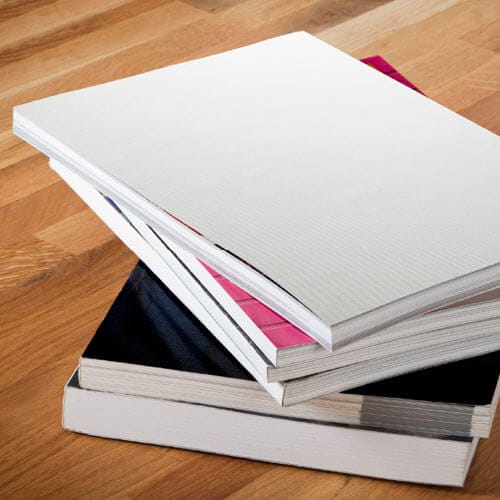
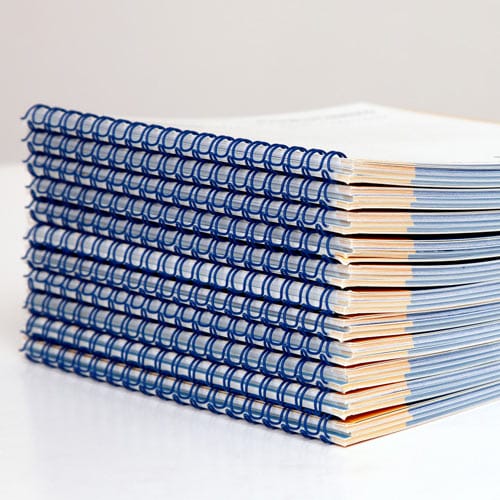
Trim size and binding decide your margins, so lock these in first. A 300-page perfect bound textbook needs a wider inside margin than a 60-page Wire-O workbook, because perfect binding eats into the gutter and Wire-O doesn't.
Common mistake: picking the binding after the interior is already laid out, then having to redo every margin.
Add 0.125 inch of bleed on every edge that touches a full-bleed image or color block. Set your inside margin at 0.75 inch minimum for perfect bound textbooks over 150 pages — thinner margins push text into the spine curve.
Common mistake: applying bleed only to the cover and forgetting interior pages that run photos or colored sidebars to the edge.
Export the whole interior as a single PDF, not a folder of individual page files. Use the PDF/X-1a preset in InDesign or Acrobat — it flattens transparency and locks color to CMYK automatically.
Common mistake: exporting in RGB because it looked fine on screen, then getting a color shift on the printed proof.
Covers get submitted as their own file, sized to include the spine. For PDF basics for book printing, the cover file needs the same 0.125 inch bleed as the interior, plus any barcode or back-cover text kept 0.5 inch clear of the trim edge.
Common mistake: building the cover at a guessed spine width instead of the calculated one, so the front panel, spine, and back panel don't line up.
Open the exported PDF and zoom to 200% on a text-heavy page and an image-heavy page. Fonts should stay crisp, not substitute to a system default. Images should hold detail, not pixelate.
Common mistake: submitting a file where fonts were embedded in the working document but stripped out during export — this happens more than people expect.
Spine width is a function of page count and paper stock caliper, not a guess. A 200-page textbook on 50 lb. white offset runs a different spine width than the same page count on 60 lb. stock.
If you don't want to do the math by hand, how to prepare a PDF for perfect bound printing walks through building the cover to match.
Common mistake: locking the cover file before confirming final page count — a last-minute chapter cut or addition changes the spine width and forces a cover redo.
Upload the interior and cover as separate files, note the binding type and trim size in the order, and check the digital proof before approving. This is the last stop before the file goes to press.
Common mistake: approving a proof without checking page order — a swapped signature or a missing page is far cheaper to catch here than after 500 copies are printed.
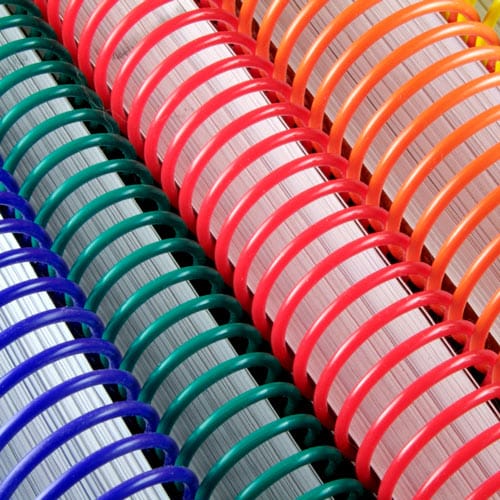
Once your interior and cover files pass the checks above, the binding choice is the last decision that affects the file itself. A 250-page American history textbook and a 40-page Wire-O lab manual need different margin math, so confirm binding before you lock final layout, not after.
What file format should I use for textbook printing file submission?
PDF/X-1a is the preferred format for textbook printing file submission in 2026. It locks color to CMYK and flattens transparency automatically, which prevents most color-shift and font-substitution errors.
How much bleed does a textbook file need?
A textbook file needs 0.125 inch of bleed on every edge that touches a full-bleed image, photo, or color block. Interior pages with color sidebars or figures need this just as much as the cover.
What resolution should textbook images be?
Images in a textbook file need to be at least 300 dpi at final trim size. Anything lower prints blurry, especially on diagrams and photos students need to read clearly.
Is perfect binding or Wire-O better for a textbook?
Perfect binding suits textbooks over 100 pages that stay on a shelf, while Wire-O suits workbooks students write in and need to lay flat. The file setup differs: perfect bound needs a calculated spine width, Wire-O needs a 0.375 inch punch margin instead.
Why was my textbook file rejected before printing?
The most common reasons are unembedded fonts, missing bleed, and RGB color mode instead of CMYK. All three show up in a quick zoom-in check of the exported PDF before you submit.
How do I calculate spine width for a perfect bound textbook?
Spine width is calculated from final page count multiplied by the paper stock caliper, not estimated by eye. A 200-page textbook on 50 lb. stock and the same page count on 60 lb. stock will have different spine widths.
Can I submit separate files for the cover and interior?
Yes, and you should. The cover file needs to include the spine and match the interior final page count and trim size, so keeping them as two separate PDFs makes it easier to catch a mismatch before printing.
Do textbook page counts need to be a multiple of 4?
Saddle stitch textbooks need a page count in multiples of 4, since the format is built from folded sheets. Perfect bound, Wire-O, and coil binding don’t have this restriction.
The spine width mistake shows up more than any other on perfect bound textbook orders — not because the math is hard, but because writers lock the cover file before the manuscript is actually final. Confirm your page count first, calculate spine width second, build the cover last. In that order, the file passes review the first time.
© 2026 Publishing Xpress. All Rights Reserved.