November 20, 2026
Allow 4 to 6 days after proof approval for your zine order to ship, then add delivery time to your destination. File preparation and proof review happen before that window, so your full 2026 schedule must include more than printing alone.
A print deadline and a delivery deadline are different things. If you need zines for a festival, reading, or subscriber mailing, the date that matters is when the finished copies reach you—not when they leave the printer.
Treat your schedule as a chain: finished files, approved proof, production, shipment, and receipt. The same distinction applies to how long it takes to print a booklet, especially when your zine uses a booklet-style binding.
Do not advertise an arrival date by adding the production window to your upload date. Proof approval, not file submission, starts the stated turnaround.
Publishing Xpress ships orders 4 to 6 days after proof approval. For your 2026 zine schedule, keep that stated window separate from the work before approval and the delivery journey afterward.
| Stage | What happens | How to schedule it |
|---|---|---|
| File preparation | You finish the content, layout, cover, and print files | Complete this before your proof deadline |
| Proof review | You inspect the proof and resolve corrections | Reserve review time before approving |
| Approval to shipment | The approved order moves through production and ships | Allow the stated 4 to 6 days |
| Delivery | The shipment travels to your destination | Confirm transit time separately |
| Event preparation | You inspect, pack, or organize copies for distribution | Leave time between receipt and use |
The final stage matters if you are taking zines to an event. Receiving cartons and having your table stock ready are separate tasks; plan for counting copies, checking the finished issue, and packing what you will carry.
The 4 to 6 days starts after proof approval, not when you upload files. Finish your review before treating the order as ready for that window.
An upload is a submission for printing, not confirmation that every detail is settled. Keep the final file version and your approval record together so your collaborators know exactly which issue is going to print.
The 4 to 6 days is the approval-to-shipment window, not an arrival promise. Add transit time separately when setting your in-hand deadline.
Use precise wording when discussing dates with collaborators. “Ships after approval” and “arrives before the event” describe different milestones, even when both appear on the same production calendar.
25 copies is the minimum print quantity at Publishing Xpress. That gives you a clear starting point for planning a short run, but it does not establish a different turnaround for a smaller order.
Choose your quantity from your distribution plan rather than assuming fewer copies automatically means faster shipment. Confirm the schedule for the actual order you intend to approve.
For a 2026 event, start with the day you need finished copies in hand. Work backward through delivery, the approval-to-shipment window, proof review, and final file preparation.
This sequence turns a vague request for “fast printing” into a useful scheduling conversation. You can give the printer a destination, an in-hand date, and a realistic point when your files will be ready.
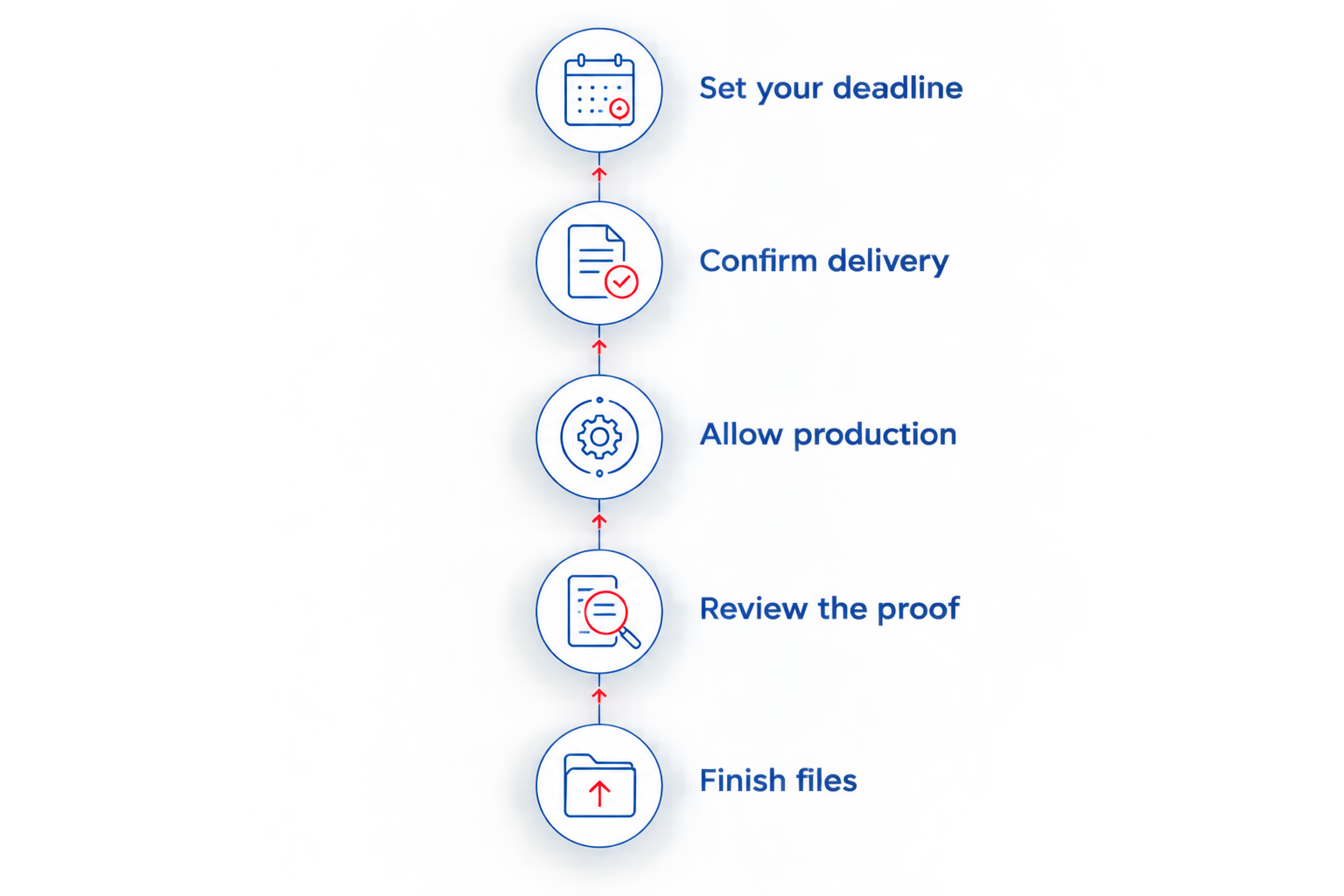
Keep the schedule somewhere every contributor can see. A shared editorial cutoff is more useful than a private target that your illustrator, editor, or co-publisher has never agreed to meet.
Binding determines how you prepare the cover and arrange content near the inside edge. Choose the format for the reading experience, not an assumed speed advantage. The stated shipping window does not provide separate turnaround figures for each binding.
For a 2026 zine project, compare these formats before you finalize the layout:
| Binding | Best for | Practical advantage | Limitation to plan around |
|---|---|---|---|
| Saddle stitch | Short zines with a folded, stapled format | Keeps the familiar booklet construction | Publishing Xpress has an 80-page maximum |
| Perfect binding | Thicker, book-style issues | Creates a glued spine and paperback format | Does not open flat like a loose stack of pages |
Saddle stitch is a practical choice when you want a short, stapled zine. The 80-page maximum is a format limit, not a promise about how quickly a particular issue will ship.
Keep the final page count visible while editing. If you are near the limit, decide what stays before building the final cover and exporting the complete issue; do not leave a binding decision until proof review.
Perfect binding suits a zine you want readers to handle as a paperback-style publication. Its glued spine changes the cover setup, so confirm the required dimensions before preparing the final cover file.
The trade-off is the opening behavior. Keep important artwork and text away from the inside edge, and do not design a spread on the assumption that the finished issue will lie completely flat.
Neither format earns a faster-shipping claim from the stated turnaround. Ask about your actual specifications instead of choosing a binding solely to chase an unconfirmed deadline.
The stated approval-to-shipment window is only part of the schedule. Your full project also includes decisions and work outside that window:
These factors explain why a finished, approved issue and an unfinished draft do not share the same order-to-reader timeline. They do not justify adding an invented number of days to every project.
For your 2026 schedule, assign a deadline to each stage rather than treating the printing window as the entire project. That keeps editorial work from disappearing inside an unrealistic delivery promise.
Proof approval is the starting point for the stated turnaround, but it is also your decision to print the issue as reviewed. Read the whole proof, including pages you believe have not changed.
Use this checklist before you approve:
For a fuller review process, use the guide to proofing a book before sending it to print. Apply the same discipline to a short zine: a small page count does not make a missing credit less noticeable.
If several people contribute to approval, collect their comments in one place. Name a final decision-maker so conflicting messages do not leave anyone guessing whether the issue is approved.
Publishing Xpress is best for independent creators seeking short-run zine printing of at least 25 copies. Its stated shipment window gives you a concrete planning point; the limitation is that shipment does not establish your delivery date.
Before committing to a public deadline, send the printer a concise description of the job. Include your final or expected page count, binding choice, quantity, delivery destination, and required in-hand date.
Ask these questions directly:
Do not convert the stated window into business days or calendar days on your own. Get that detail confirmed before counting backward from a fixed event.
For a 2026 subscriber issue, separate the printer's delivery from your own mailing work as well. Receiving the print run does not mean your readers have received their copies; communicate the milestone you can actually support.
How long does zine printing take after I approve the proof?
Publishing Xpress ships orders 4 to 6 days after proof approval. Add delivery time separately when planning when your finished zines will reach you.
Does uploading my zine start the printing turnaround?
No. The stated 4 to 6 days begins after proof approval, not file upload. Complete your proof review before counting that window.
Will my zines arrive within 4 to 6 days?
The 4 to 6 days is an approval-to-shipment window, not a delivery promise. Confirm transit time for your destination before setting an arrival deadline.
How many zines do I have to order?
The minimum print quantity is 25 copies. Choose your order quantity around your distribution needs rather than assuming a smaller run has a shorter turnaround.
How many pages can my saddle stitch zine have?
The maximum for saddle stitch books is 80 pages. Resolve the page count and binding before finalizing your print files.
Are the 4 to 6 days business days or calendar days?
Confirm the day-count convention for your order before scheduling. Do not assume the stated 4 to 6 days means business days or calendar days.
What should I finish before approving my zine proof?
Finish checking the cover, page order, text, credits, image placement, and file version before approval. Resolve corrections first so your approval refers to the issue you intend to print.
Your useful deadline is the proof approval deadline, not the upload deadline. Put both on your calendar, then give proof review an owner who has time to read the complete issue.
That small distinction makes your plan actionable. “Files submitted” records progress; “proof approved” identifies the milestone tied to the stated shipment window.
© 2026 Publishing Xpress. All Rights Reserved.