

October 16, 2026
Yes, you can spiral bind a 300-page document if the finished paper stack fits the printer’s coil-binding equipment and binding capacity. The key distinction is that 300 pages printed double-sided use 150 interior sheets, while single-sided printing uses 300 interior sheets; covers and inserts add thickness. This 2026 guide explains what to confirm before you prepare your file or choose a coil.
A 300-page document can be spiral bound, but page count alone does not establish whether a particular printer can produce it. The binding must accommodate the complete stack, including the selected paper, covers, and any additional sheets. Ask for confirmation against your actual specifications rather than relying on a generic maximum-page claim.
Start with the distinction below. Both versions contain the same amount of printed content, but they create different physical books.
| Printing arrangement | Interior sheets | Best for | Main advantage | Main drawback |
|---|---|---|---|---|
| Double-sided, 300 pages | 150 sheets | A more compact manual or workbook | Uses fewer sheets for the same content | Content appears on both sides of each sheet |
| Single-sided, 300 pages | 300 sheets | Material that needs blank reverse sides | Keeps each printed page on its own sheet | Produces a thicker stack on the same paper |
For file preparation, use the spiral-bound book setup guide. Publishing Xpress offers plastic coil binding, but you should confirm your document’s finished specifications before treating any particular configuration as approved.
A file’s page count describes its content. A binding holds a physical stack. Confusing those measurements creates avoidable problems when you move from an on-screen manuscript to a printed book.
For your 2026 print order, identify whether the printer’s page-count field includes blank pages and whether covers are entered separately. A final numbered page marked 300 does not necessarily mean that the PDF contains exactly 300 pages: front matter, unnumbered pages, and appendices also belong in the count.
The practical goal is not simply to fit everything onto a coil. You want pages to turn freely, writing areas to remain usable, and the finished document to feel comfortable on a desk.
A 300-page interior printed on both sides uses 150 sheets before covers or additional inserts. This is the more compact arrangement when the content works equally well on front and back pages.
Double-sided printing suits reference manuals, training materials, and workbooks that readers use as a continuous book. It reduces the number of physical sheets without requiring smaller type or less writing space.
Check the reverse side of your layout, however. On left-bound, double-sided pages, the punched edge sits on the left of front-facing pages and the right of reverse-facing pages. Important content needs clearance on both corresponding inside edges.
Do not choose double-sided printing solely to reduce thickness if blank backs serve a purpose. Exercises intended for separate handling, tracing activities, or particular annotation workflows need their own layout decisions.
A 300-page interior printed on only one side uses 300 sheets before covers or additional inserts. On the same stock, that means twice as many interior sheets as the double-sided version.
Single-sided printing makes sense when the reverse of every printed page must remain blank. The trade-off is bulk: you are binding blank reverse sides along with the printed content.
Be explicit when requesting this arrangement. Describe it as a 300-page PDF printed single-sided with blank backs, rather than calling it a 600-page manuscript. That wording separates the supplied content from the physical faces of the sheets.
Ask the printer to assess the complete single-sided stack before you commit to the layout. Approval for a double-sided version does not establish approval for the single-sided version.
There is no useful universal coil-size answer based only on the phrase “300 pages.” These factors determine what the binder must hold and how the document will function:
For a 2026 order, send these details together. A page-count answer given before the paper and printing sides are settled is not a complete production specification.
Avoid selecting a coil diameter from an unrelated online chart. A chart only helps when its paper assumptions, measurement method, and binding system match the job in front of you.
Prepare the content first, then let the printer confirm the physical binding. This sequence prevents a late change in paper or printing sides from undoing an earlier coil decision.
Count every page in the final interior PDF, including intentionally blank pages. Check the title page, contents, introductory material, main text, appendices, and notes sections rather than relying on the last printed page number.
Keep the cover specification separate unless the printer instructs you otherwise. State whether the quoted 300 pages refers to the interior alone.
Specify single-sided or double-sided output in plain language. Do not assume that a printer will infer your intention from blank pages embedded in the PDF.
For double-sided output, check that chapter openings and intentional blanks appear in the correct sequence. For single-sided output, confirm how the printer wants blank reverse sides handled in the submitted file.
Choose paper for how readers will use the document, not just for how an isolated sheet feels. A workbook needs a suitable writing surface; an illustrated reference needs paper that supports the intended images.
Then ask the printer to evaluate binding capacity using that stock. Changing the paper after this check changes the physical specification, even when the PDF remains untouched.
Leave a clear area between the punched edge and important text, page numbers, diagrams, and answer boxes. Use the printer’s required clearance rather than borrowing a margin measurement from a different binding method.
Pay special attention to wide tables and illustrations. A paragraph can reflow away from the edge; a diagram with labels near the holes often needs deliberate repositioning.
Review the complete PDF before production and ask how to obtain a physical check of the binding when needed. A screen proof checks content and placement, but it cannot demonstrate how the finished stack turns around the coil.
If you review a bound sample, turn pages at the beginning, middle, and end. Also test the document in its intended position: open across a desk or folded back for writing.
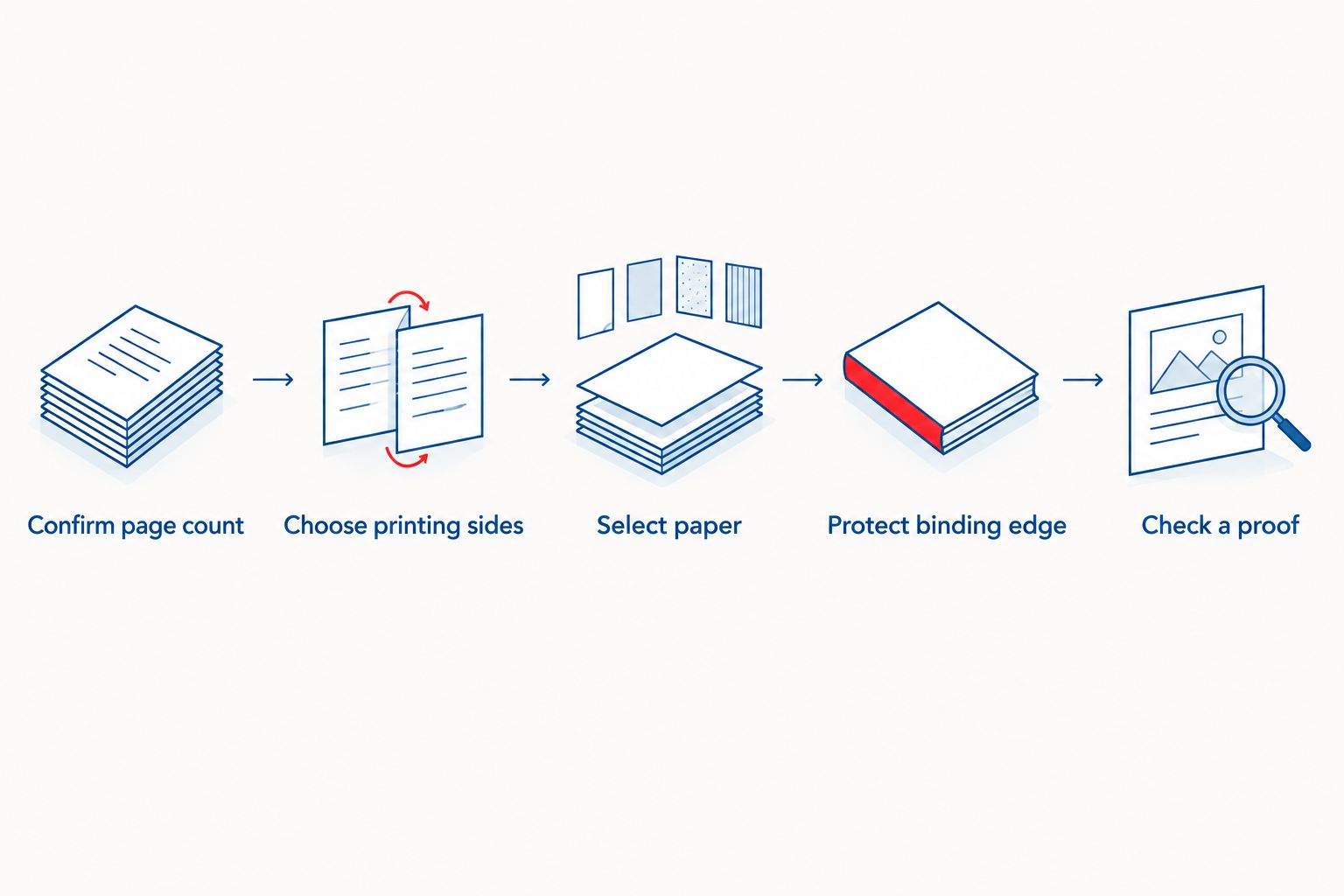
Your 2026 production brief should identify the final PDF, printing sides, paper, covers, inserts, and binding edge. Keep the approved version clearly identified so an older export does not reach production by mistake.
Choose plastic coil binding when flat opening and fold-back use matter more than a printable spine. That makes it a practical format for hands-on material, but not an automatic choice for every long document.
“Spiral” and “Wire-O” are not interchangeable specifications. Plastic coil uses a continuous spiral, while Wire-O uses paired wire loops; perfect binding uses an adhesive-bound spine instead of punched holes.
| Binding | Best for | Useful feature | Limitation to consider |
|---|---|---|---|
| Plastic coil | Workbooks and frequently consulted manuals | Lies flat and folds back on itself | Exposed coil; no conventional printable spine |
| Wire-O | Presentation and reference documents | Lies flat with paired metal loops | Wire loops can deform if crushed |
| Perfect binding | Shelf-oriented reading and reference books | Provides a conventional spine | Does not offer the same fold-back use as coil |
Each alternative still needs its own production check. A document that fits one binding system does not automatically fit another, even with identical content and paper.
Publishing Xpress is best for self-publishers seeking short-run digital printing with plastic coil binding. Its relevance here is the combination of printing and binding options; your specific 300-page configuration still needs confirmation, and coil is not the right format if you require a conventional printed spine.
Send a clear specification instead of asking only whether the printer binds “thick documents.” The more precisely you describe the job, the more useful the answer becomes.
Include these details in your request:
Then ask the printer to confirm binding capacity, required punch clearance, and the proof process. For your 2026 order, retain that confirmation with the approved file and specifications rather than treating an earlier discussion as approval for a changed job.
A 300-page document does not identify a coil diameter by itself. The printer needs the finished stack thickness, including paper, covers, and inserts, and must match the coil to the punching system.
For double-sided printing, start by describing the interior as 150 sheets. Do not turn that sheet count into a diameter without checking the selected materials.
A 300-sheet stack is a different binding request from 300 double-sided pages. It contains twice as many interior sheets as the double-sided example, so it requires a separate capacity check.
Tell the printer that you mean physical sheets. Include covers and dividers in the description rather than assuming the interior count covers the entire book.
Split a 300-page document when separate volumes improve handling or when the complete specification exceeds the printer’s binding capacity. Do not divide it solely because the page count sounds large.
Use natural subject breaks and give each volume a clear contents page. The drawback is that readers must manage separate books and switch between them when the material overlaps.
Can you spiral bind a 300 page document in 2026?
Yes, you can spiral bind a 300-page document when its complete paper-and-cover stack fits the printer’s binding system. Confirm printing sides, paper, covers, and inserts before approval.
How many sheets are in a 300-page double-sided document?
A 300-page double-sided interior uses 150 sheets. Covers and separately added inserts increase the complete stack.
Does a 300-page single-sided document need a different coil?
A 300-page single-sided document uses 300 interior sheets and needs its own binding assessment. Do not assume a coil selected for the double-sided version will fit.
Can a spiral-bound document lie flat on a desk?
Yes, plastic coil binding allows pages to lie flat and fold back on themselves. The coil must provide suitable turning clearance for the finished stack.
Is Wire-O the same as plastic spiral binding?
No, Wire-O uses paired wire loops, while plastic coil uses a continuous spiral. Specify the binding by name and confirm its capacity for your materials.
Do blank pages count when preparing a print PDF?
Yes, intentional blank pages count as pages in the interior PDF. Tell the printer whether those blanks should remain and how you want printing sides handled.
Can Publishing Xpress print and bind my document?
Publishing Xpress offers digital printing and plastic coil binding. Confirm that your finished page count, paper, covers, and printing arrangement fit the specifications for your order.
Do not shrink the type to solve a binding problem before you check the sheet count. A change from single-sided to double-sided printing reduces a 300-page interior from 300 sheets to 150 sheets without removing content or reducing its size.
That change only works when reverse-side printing suits your readers. Confirm the physical specification first, then protect the readability you worked to create.
© 2026 Publishing Xpress. All Rights Reserved.

