

October 29, 2026
Best overall for an annual chamber directory: perfect bound printing. Best for daily desk reference: plastic coil printing. Best for a compact member booklet: saddle stitch printing. This 2026 guide compares four directory printing formats from Publishing Xpress, including Wire-o for a presentation-ready desk edition.
A chamber directory has to help someone find a business, not just display a membership list. Your binding affects how easily readers use the inside edge of each page, whether the directory stays open beside a phone, and how it sits on a shelf.
Publishing Xpress is a directory printing choice for chambers that need short-run production with a 25-copy minimum. The practical decision is which format fits your directory; the recommendations below compare binding services, not an unsupported ranking of competing printers.
For your 2026 edition, settle the reader's main task before choosing the format. A visitor browsing local businesses needs a different book from a staff member checking contact details throughout the day.
Use these criteria before comparing quotes or approving a layout:
The order below follows four distinct uses. Perfect binding is the default for an annual member edition; the other formats win when your reading conditions change.
| Printing format | Best for | Standout feature | Key limitation |
|---|---|---|---|
| Perfect bound printing | Annual member edition | Glued spine and paperback format | Does not open flat like coil or Wire-o |
| Plastic coil printing | Daily staff reference | Pages lie flat and fold back | No conventional printable spine |
| Saddle stitch printing | Compact member booklet | Folded pages secured through the center | Maximum 80 pages |
| Wire-o printing | Board and committee desk edition | Double-loop wire allows flat opening | Wire can bend when crushed |
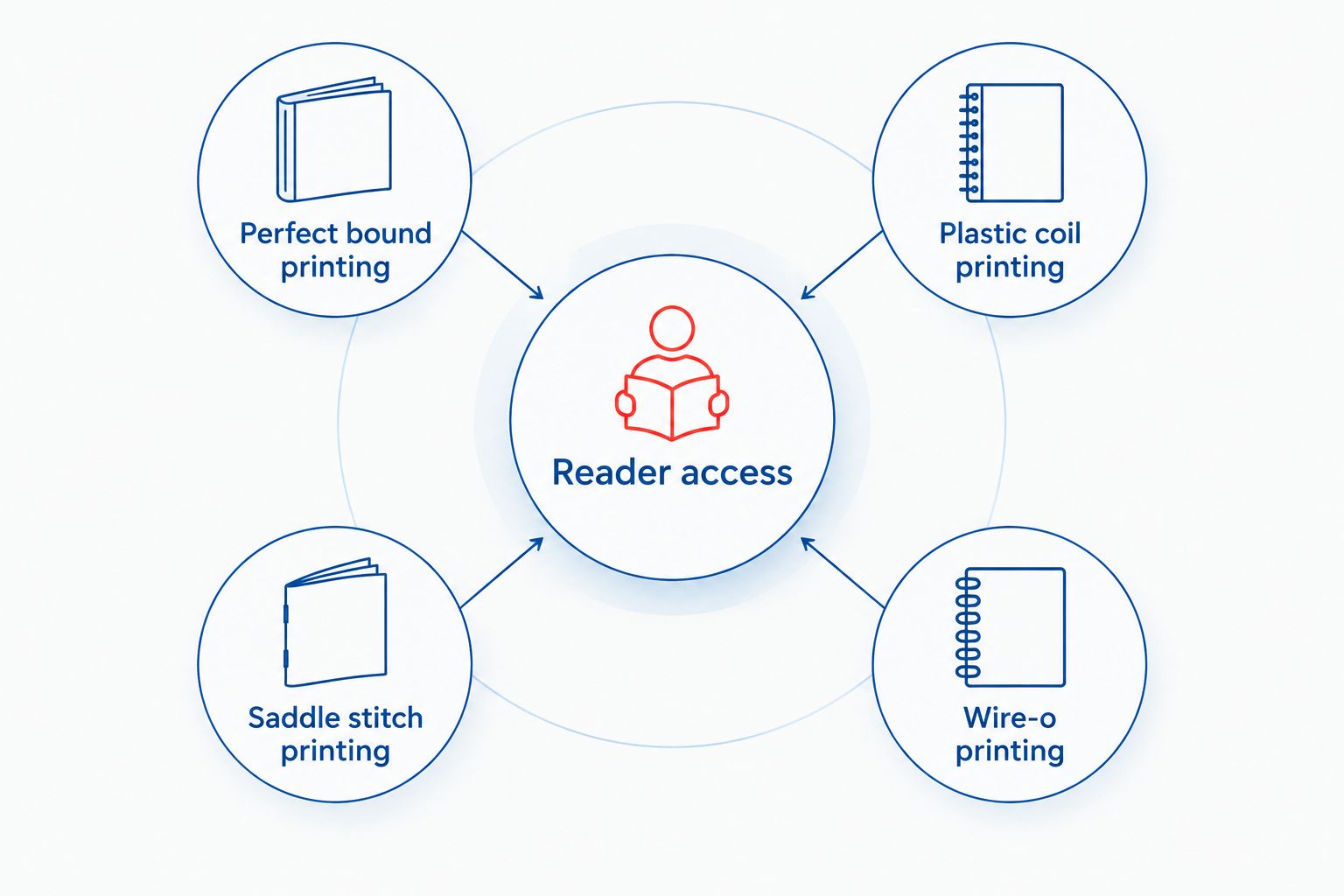
A glued spine, a flexible coil, center staples, and double-loop wire create different reading experiences. Choose the feature your members will use, rather than treating the formats as interchangeable finishes.
Perfect binding joins the interior pages to a wraparound cover with adhesive along the spine. It creates a paperback directory that members can keep beside other reference books.
Choose perfect binding when your 2026 directory combines alphabetical listings, business categories, chamber information, and sponsor pages in a substantial annual edition. Confirm that your finished page count and paper selection meet the binding requirements before completing the cover.
Perfect bound printing pros:
Perfect bound printing cons:
Best for: An annual chamber member directory intended for general distribution and shelf storage.
Keep advertisements and contact information away from the inner edge. An ad that looks balanced on a screen can lose usable space when the bound directory is opened.
For a closer comparison of the two closed-spine formats, read perfect binding vs. saddle stitch.
Verdict: Buy perfect bound printing for a shelf-oriented annual directory; skip it when hands-free desk use is essential.
Plastic coil binding threads a continuous plastic spiral through holes along the binding edge. The pages lie flat, and readers can fold the directory back on itself when desk space is limited.
Choose plastic coil printing for the chamber office's working reference copy. It suits a directory that staff consult while answering calls, checking member categories, or preparing introductions between businesses.
Plastic coil printing pros:
Plastic coil printing cons:
Best for: Chamber staff who use a member directory repeatedly during the working day.
Do not place category names, page numbers, or phone numbers inside the punching area. Ask for the required binding clearance before you build the master page, then check every listing against it.
Verdict: Buy plastic coil printing for a working desk directory; skip it if a shelf-readable spine is the priority.
Saddle stitch binding secures folded sheets with staples through the center fold. It produces a booklet without a glued or punched spine.
Publishing Xpress saddle stitch directory printing has an 80-page maximum. Choose this format when your listings, index, sponsor pages, and chamber information fit within that limit without making the text difficult to read.
Saddle stitch printing pros:
Saddle stitch printing cons:
Best for: A concise chamber directory with a controlled amount of member and sponsor content.
For the 2026 edition, leave room for the category index before filling the booklet with advertisements. If the directory exceeds the limit, change the binding or reduce nonessential material rather than compressing every listing.
Verdict: Buy saddle stitch printing for a compact directory within the page limit; skip it for a growing, extensive membership edition.
Wire-o binding uses double-loop wire through punched holes along the edge. Pages open flat and turn around the wire, making the format useful for reference during meetings.
Choose Wire-o printing when your board or committee needs a directory beside agendas, notes, and other working documents. Its defining advantage is page access, not shelf identification.
Wire-o printing pros:
Wire-o printing cons:
Best for: Board members and committee leaders who consult the directory during meetings.
Keep text blocks clear of the wire and avoid spreading a single contact entry across facing pages. Each business listing should remain understandable on its own.
Verdict: Buy Wire-o printing for a flat-opening meeting reference; skip it when rough handling is the main concern.
The ranking follows reader access, page-count fit, readability, quantity, file preparation, and schedule. Perfect binding takes the default position for a shelf-oriented annual edition; plastic coil wins for repeated staff reference.
Saddle stitch serves a compact booklet, while Wire-o serves a meeting-table reference. These are use-case recommendations based on binding construction and the stated service limits, not measured claims about print quality or competitor performance.
A clear specification helps you compare the same project across quotes. It also prevents a late change in page count from forcing a new binding decision.
Set a correction deadline and maintain a master membership file. Standardize business names, contact names, phone formatting, website presentation, and category assignments before placing the text into the layout.
For your 2026 directory, distinguish the edition year from the date the listings were verified. Ask members which contact details they authorize for publication, particularly when a record includes personal information.
Include an alphabetical route to a known business and a category route for someone seeking a service. Use consistent category names, and check that every index reference matches the final page number.
Give advertisements a separate review pass. Confirm business names, artwork, and placement against the chamber's agreements before approval; do not assume the listing review covers the ads.
Print representative pages at the intended finished size. Include a dense listing page, a category opening, an advertisement, and a page with a long website address.
Check readability without zooming. If the page works only when enlarged on a screen, revise the type, columns, or finished size before ordering the complete run.

Assign a final approver and record corrections in a shared list. Check the exported PDF, not just the editable source file, because the PDF is the version you are approving for print.
Publishing Xpress states that orders ship in 4 to 6 days after proof approval. Keep shipping transit separate from that interval, and confirm the full schedule before promising copies for a chamber event.
Choose perfect binding as the default for a substantial annual chamber directory. Choose plastic coil instead when the directory's main job is to stay open beside a staff member's phone or keyboard.
Use saddle stitch for a concise edition within the 80-page limit. Choose Wire-o for a flat-opening board or committee reference, with room in the layout for the punched binding edge.
Before placing your 2026 order, confirm the final page count, authorized listings, quantity, binding, and delivery requirements together. Those decisions belong in the same specification, not in separate email threads after the proof is ready.
What’s the best directory printing format for a chamber of commerce?
Perfect binding is the default recommendation for a substantial annual chamber directory intended for shelf storage. Choose plastic coil instead when staff need the directory to stay open for frequent desk reference.
Can a chamber order a small batch of directories?
Publishing Xpress has a minimum print quantity of 25 copies. Count your intended recipients and distribution locations before choosing the order quantity.
Is spiral binding better than perfect binding for a member directory?
Plastic coil spiral binding is better for a directory that needs to lie flat or fold back during use. Perfect binding is better when a conventional paperback format and defined spine matter more.
How many pages can a saddle stitch chamber directory have?
The maximum saddle stitch page count at Publishing Xpress is 80 pages. Plan the listings, index, advertisements, and introductory material within that limit, and confirm the printer’s page-count convention.
How long does chamber directory printing take?
Publishing Xpress states that orders ship in 4 to 6 days after proof approval. Allow separate time for file corrections, approval, and shipping transit before your required arrival date.
Can I replace individual pages in a coil-bound directory?
A coil-bound directory is not designed for simple page replacement like a ring binder. Finalize member corrections before printing rather than planning to swap listings afterward.
What should a chamber check before approving a directory proof?
Check member details, category assignments, index references, advertisements, and binding margins in the final PDF. Review representative pages at the intended finished size to confirm that contact information is readable.
Test the directory with a lookup task, not just a visual review. Ask someone unfamiliar with the layout to find a named member, then find a business by service category. Watch where the search stalls, and fix the labels or index before approving the proof.
© 2026 Publishing Xpress. All Rights Reserved.

