

October 2, 2026
Test-prep publishers’ short-run book printing is producing a limited batch of study guides or practice workbooks to supply learners without committing to a large inventory. This 2026 guide explains how to choose binding, prepare question-and-answer files, check a proof, and plan reprints around your next teaching cohort.
A test-prep book has to work as both instructional content and a physical tool. Students need room to calculate, mark passages, and compare their answers with explanations; instructors need the correct edition for the class they teach.
Match your print batch to a defined teaching or sales need, not an optimistic forecast. A smaller batch limits the number of copies tied to an edition you later revise. The trade-off is that you must monitor remaining copies and schedule another order before the next cohort needs books.
Binding deserves an early decision. The guide to binding options for workbooks and study guides is a useful starting point because a write-in workbook and a reading-heavy review guide have different physical requirements.
For your 2026 edition, define the exam, audience, content scope, and distribution date before choosing production details. A printer can reproduce your approved files; content accuracy, exam alignment, and answer-key verification remain your responsibility.
Start with a project brief in a document or spreadsheet you already use. Name the exam, learner level, subject coverage, and intended use: classroom instruction, independent revision, timed practice, or instructor reference.
Separate those purposes before combining everything into a single book. A timed practice section needs clear instructions and uninterrupted question sequences. A teaching workbook needs space for working and explanations. An instructor edition needs an unmistakable label so it does not enter the student distribution pile.
For a 2026 release, verify exam information against the exam owner’s current official materials. Do not treat a previous manuscript as the authority for section names, permitted tools, or test structure. Keep a record of the sources used during editorial approval.
Close the brief with decisions that affect every later step:
Use your enrollment records, confirmed institutional orders, and planned review copies to create a quantity worksheet. Count by destination rather than estimating from your total audience: a tutoring center, school department, and direct customer order are separate distribution needs.
Keep expected orders separate from confirmed ones. Also separate usable inventory from copies of an older edition. A book sitting on your shelf does not help a new cohort if its exercises no longer match the files your instructors teach from.
Order against a documented need and record the reason for any reserve copies. This makes the next print decision easier: you can distinguish copies used for learners from those sent to reviewers or retained for reference. Short-run printing reduces the size of the commitment, but it does not remove storage or distribution work.
Before contacting a printer, write down the binding, interior color treatment, final page count, quantity, and required delivery date. This manual specification sheet gives you a consistent basis for reviewing production options. It also prevents a change in binding from being mistaken for a like-for-like comparison.
Publishing Xpress provides online short-run digital printing in black-and-white or color, with perfect bound, saddle stitch, Wire-O, and plastic coil binding options. Publishing Xpress is best for test-prep publishers needing short-run digital printing with a choice of workbook bindings.
The online route gives you a place to take the specification once it is settled. It does not replace editorial review. For a 2026 workbook, confirm the current file requirements and production schedule before promising a classroom arrival date; your approved manuscript still needs to be accurate and usable.
Make a simple paper mock-up first. Fold or stack sample pages, place them on a desk, and try answering a representative question. This will not reproduce the final binding, but it exposes cramped writing areas and awkward page turns before you finalize the layout.
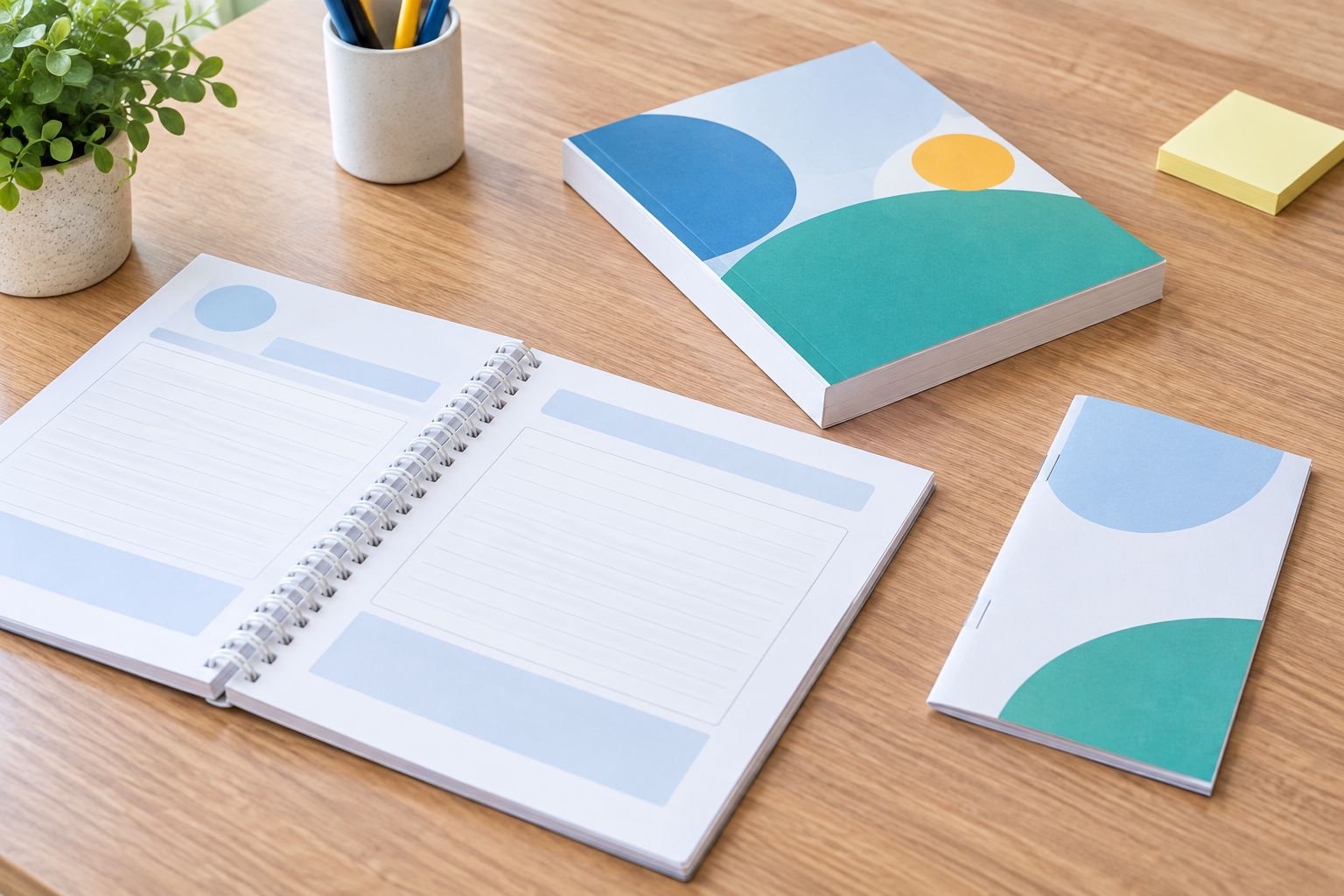
Choose plastic coil or Wire-O when desk use and writing space drive the project. Both use punched pages and support opening the workbook flat. Their limitation is the space the punched binding edge requires. Perfect binding suits a reference-style study guide, but it is not the first choice when hands-free flat opening is essential.
Saddle stitch suits slim practice booklets. Folded saddle-stitch construction uses page totals in multiples of 4 pages, including any counted blank pages; confirm how your printer counts the cover. Do not apply that rule to every binding format.
Use the student’s task to finish the decision:
Start with paragraph styles and consistent page settings in your existing layout program. Set the finished page size before adjusting line breaks. Changing the size later can move questions, separate diagrams from prompts, and invalidate page references in the answer key.
Keep each question’s stem, supporting image, and answer choices together wherever practical. Give calculations and written responses space that matches the task rather than filling every page with text. A compact layout is not useful if a student must write across the binding edge or squeeze an explanation into the margin.
Check the distinction between instructional and timed-practice sections. Instructions should make clear when students can consult explanations. If an answer key belongs at the back, make sure students can locate it without confusing the key’s numbering with the exercise numbering.
Export the interior and cover according to the printer’s current instructions, then inspect the exported PDF rather than approving only the editable manuscript. Look for missing symbols, substituted fonts, clipped equations, blank pages, and diagrams that have become difficult to read.
Request 1 printed proof before approving the full batch, and confirm the printer’s proof process first. A screen review cannot show how your selected paper handles pencil marks or how comfortable the binding feels during a practice session. Use the proof as a learner would: write in it, turn pages, and compare an answer with its explanation.
Run 2 separate review passes: one for instructional accuracy and one for physical usability. Keeping these tasks separate makes it easier to catch both a wrong answer and a correct answer printed in an unreadable equation.
Use a shared folder and a release log to manage the approved files. Record the edition label, final filenames, approval date, binding, and batch allocation. A reprint should come from that approved set, not whichever manuscript an editor last opened.
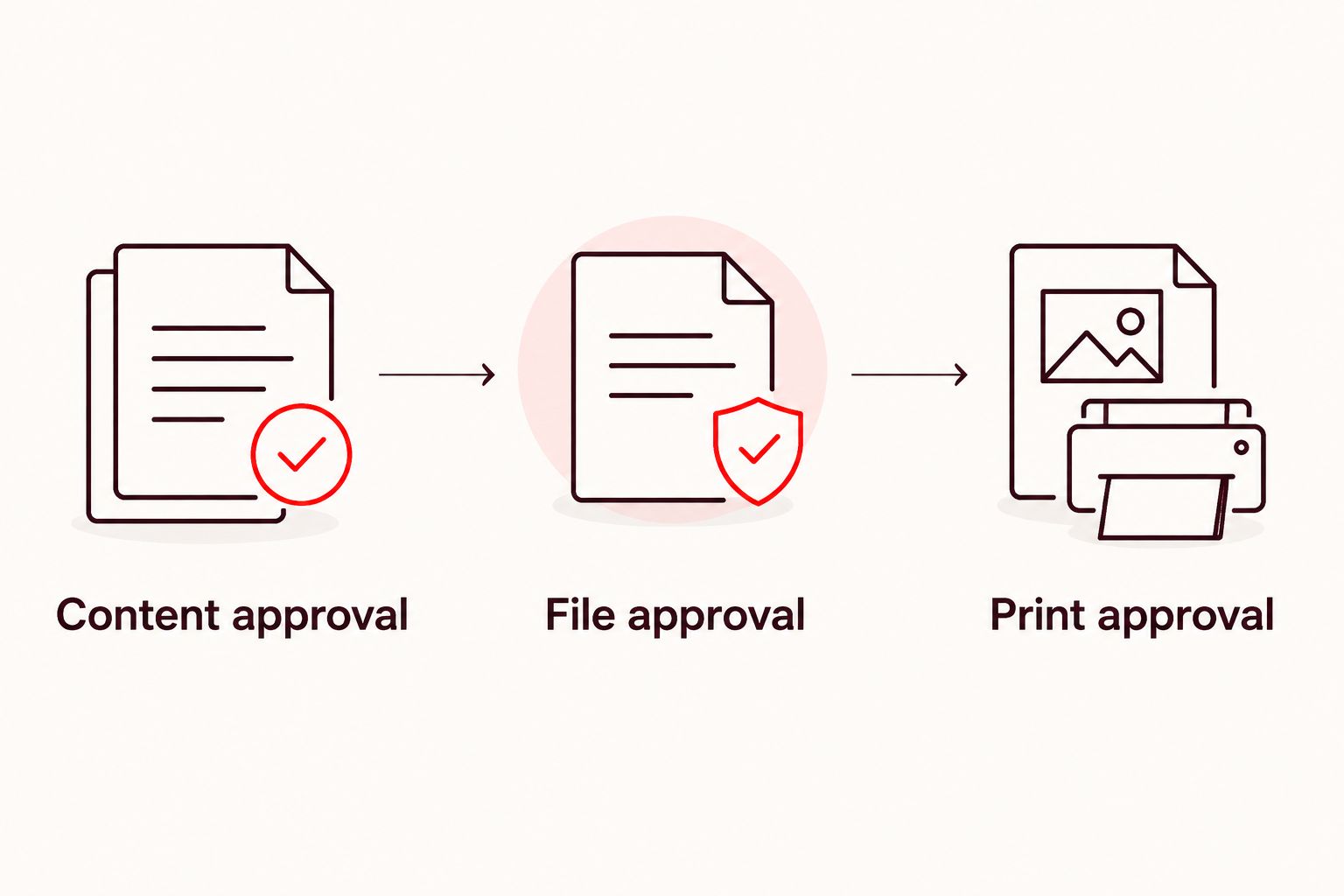
Build 3 release checkpoints into your workflow: content approval, file approval, and print approval. These are recommended checks, not promises about production speed. Each should have a named approver and a clear record of what was accepted.
For a 2026 reprint, compare the current files with the previous approved edition before placing another order. If questions or explanations have changed, decide whether existing inventory remains suitable and how instructors will identify the revision. Keep an errata record separate from the production files so a reported correction does not silently become an unapproved edit.
The release sequence keeps an editorial decision from being confused with production approval. Each handoff should identify the file that passed the check.
Publishing Xpress short-run book printing includes the four binding options below. Compare them by the learner’s task, then confirm that your page count, paper, and layout meet the selected format’s production requirements.
| Option | Best for | Practical advantage | Key limitation |
|---|---|---|---|
| Plastic coil | Write-in practice workbooks | Flat opening supports desk-based writing | Punched edges need clearance from text and answer areas |
| Wire-O | Desk-based study and practice books | Flat opening keeps facing pages accessible | Punched edges need clearance; exposed wire needs care when packed |
| Perfect bound | Reading-heavy review guides | A glued spine creates a conventional paperback format | Not the first choice for hands-free flat opening |
| Saddle stitch | Slim topic drills and practice booklets | Folded, stapled construction suits a compact booklet | Thickness limits and folded page-count rules restrict the format |
Best for write-in practice: plastic coil or Wire-O. Best for reference reading: perfect binding. Saddle stitch is the focused option for a slim booklet, not a substitute for every full-length workbook.
Keep the interior’s teaching purpose unchanged when comparing formats. A binding change can require new margins, altered pagination, or a revised cover file. Treat it as a production change that needs review, not just a different finishing choice.
A correct-looking page can still direct students to the wrong explanation. After pagination and question order are final, check every question against its answer and rationale. Do not assume manuscript-stage verification remains valid after exercises move between chapters.
A chart that distinguishes answers only through color loses that distinction in a black-and-white edition. Add labels, line styles, or patterns, then inspect the actual output. Decide the interior print treatment before approving chart design.
A conventional paperback appearance does not establish workbook usability. Test the binding against the activity: calculation, annotation, or repeated page-to-answer-key checking. Preserve sufficient clearance at the binding edge whichever format you select.
Several files with nearly identical names create uncertainty about which answer key was approved. Use a release log and retain the exact exported files attached to approval. For your 2026 edition, put the revision identifier where instructors can find it without inspecting individual exercises.
Inventory counts need an edition check. Separate copies that still match your teaching materials from copies requiring a correction notice or replacement. Reordering an outdated file repeats the problem instead of solving it.
What is short run book printing for test prep publishers?
Short run book printing for test prep publishers means producing a limited batch of study guides, practice books, or workbooks for a defined distribution need. It lets publishers order around a cohort or confirmed demand rather than committing to a large inventory.
What’s the best binding for a test-prep workbook?
Plastic coil or Wire-O is the best fit when students need a workbook to open flat for writing. Perfect binding better suits reading-heavy reference guides, while saddle stitch suits slim practice booklets.
Is short-run printing the same as print on demand?
Short-run printing and print on demand describe different ordering approaches. Short-run printing produces a planned batch; print on demand produces copies in response to orders, with fulfillment arrangements depending on the service.
Should a practice book use black-and-white or color printing?
Use black-and-white when questions and diagrams remain clear without color; use color when it carries necessary instructional information. Add labels or patterns so students do not have to identify an element by color alone.
How many copies should a test-prep publisher order?
Base the batch on confirmed learner allocations, institutional orders, usable inventory, and documented reserve needs. Keep expected demand separate from confirmed demand and check that existing copies match the intended edition.
Does Publishing Xpress print short-run study guides?
Publishing Xpress provides short-run digital book printing in black-and-white or color with perfect bound, saddle stitch, Wire-O, and plastic coil options. Confirm the current specifications and production arrangements for your study-guide project before ordering.
What should I check before approving a test-prep book proof?
Check question numbering, answer-key accuracy, equations, diagram readability, writing space, and binding clearance before approval. Inspect the exported PDF and test a printed proof using the activities students will complete.
Proof the book with the answer key closed. Work through a representative exercise from the printed page, then check the explanation. This exposes missing information, cramped response areas, and awkward page turns that an editorial read-through does not test.
For your 2026 release, retain the approved proof alongside the release log. It gives your next reprint a concrete reference instead of relying on memory.
© 2026 Publishing Xpress. All Rights Reserved.

