July 23, 2026
You know your subject cold, but a stack of Word documents doesn't make you an authority — a printed book with your name on the spine does.
A business book is a credibility asset that works while you sleep — handed to a prospect, mailed to a referral partner, sitting on a conference table. It does more of that job than a PDF ever will, because a bound object signals you finished something 40,000 to 60,000 words long and didn't quit.
Most business books that stall never had a real outline. The author starts strong, hits chapter three, and the project dies in a folder called "book draft final v2." The types of nonfiction books that succeed as authority tools share one trait: a promise stated in one sentence before a single chapter gets drafted.
The fix isn't inspiration. It's structure, a fixed weekly cadence, and a print plan that matches your page count and budget — not a 5,000-copy commitment before you've sold a single one.
This step forces clarity before you write a word of content, and it's the single biggest predictor of whether the book gets finished. If you can't state what a reader walks away able to do, in one sentence, you don't have a book yet — you have a topic.
Write it down: "This book teaches [specific audience] how to [specific result] in [timeframe or method]." Test it on three people who aren't in your industry. Common mistake: promising a feeling ("understand leadership better") instead of an outcome ("run a weekly one-on-one that surfaces problems before they cost you a hire").
A book outline turns 60,000 words into 8-12 manageable chunks, and it's what keeps you writing on week 9 when the initial momentum is gone. Each chapter should answer one question your reader has and end with one action they can take immediately.
Budget 3-5 hours to build it, not 3 weeks — an outline that takes longer than the first three chapters combined is over-engineered. Common mistake: stretching the outline to 20+ chapters because everything feels important; readers need a spine, not an encyclopedia.
Consistency beats inspiration for business nonfiction. Use a repeatable chapter shape — open with a story or problem, teach the concept, give a framework or checklist, close with an action step — and you'll draft faster with every chapter because you're not reinventing structure each time.
At 3,000-5,000 words per chapter, 8-12 chapters lands you in the 30,000-50,000 word range typical for a business title. Common mistake: writing chapters out of order based on mood; skipped chapters rarely get written later.
Most readers decide whether to keep reading in the first two pages. A nonfiction book introduction that opens with a specific failure or turning point, not a bio, does that job.
Write the introduction last, after the manuscript is drafted — you'll know what the book actually delivers by then, not just what you planned. Common mistake: leading with credentials instead of the problem the reader is trying to solve.
A developmental edit checks whether the argument holds together chapter to chapter; a copy edit checks commas. Skipping straight to copy edit is why some business books read polished but say nothing new by chapter six.
Budget this as a separate pass, ideally with a second reader who isn't inside your industry. Common mistake: treating spelling and grammar cleanup as proof the manuscript is finished — structure problems survive a copy edit untouched.
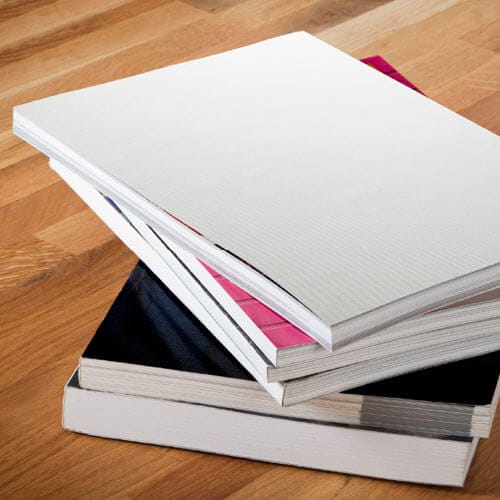
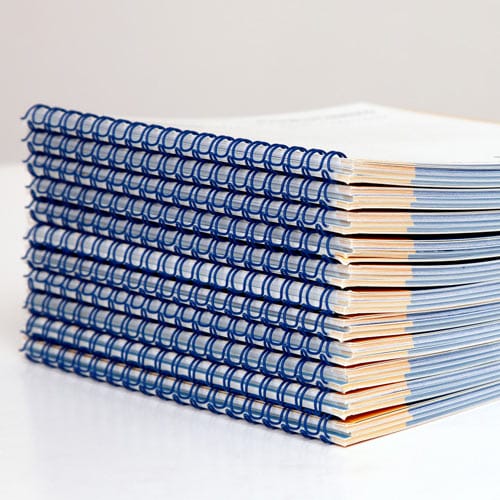
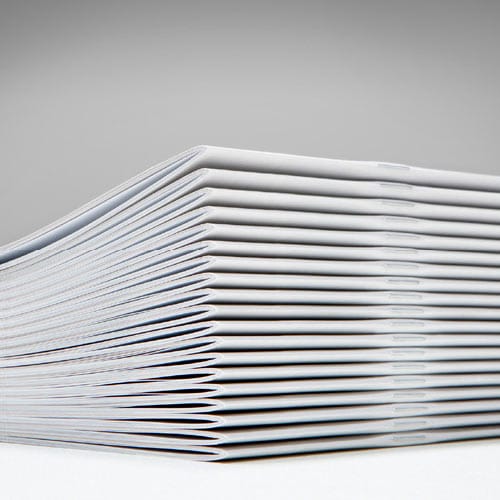
A business book that's handed out at conferences needs to survive a bag and look finished on a shelf; a workbook-style title with exercises needs to lie flat. Perfect binding is the standard for a 100+ page business title with a printed spine; coil or Wire-O suits a workbook format where readers write directly on the page.
Publishing Xpress runs short print jobs with no large minimum order, which matters for a first-time business author testing 50-100 copies before committing to a bulk run in 2026.
A finished manuscript means nothing without readers who already trust you before launch day. Start building an author platform while you're still drafting — email list, LinkedIn posts pulled from chapters, a landing page — so the book has an audience the day it ships in 2026.
How long does it take to write a business book?
Most business authors finish a draft in 12-20 weeks at one chapter per week, plus 4-8 weeks for developmental and copy edits. Total time to a print-ready manuscript typically runs 4-6 months in 2026.
How many words should a business book be?
Business nonfiction typically runs 30,000-50,000 words across 8-12 chapters. Shorter titles under 25,000 words often work better as a booklet format instead of a full perfect-bound book.
What’s the best binding for a business book?
Perfect binding is the standard for business titles over 80-100 pages because it produces a printed spine and a bookstore-ready look. Wire-O or coil works better for workbook-style titles where readers write on the page.
Do I need an editor before printing a business book?
Yes — a developmental edit checks the argument structure, and a copy edit catches grammar and consistency issues. Skipping the developmental pass is the most common reason business books read thin.
Can I print a short run of my business book before a full print order?
Yes, and it’s the safer move for a first-time business author. Publishing Xpress prints short runs with no large minimum order, so testing 50-100 copies before committing to bulk is realistic.
How do I structure a business book chapter?
Open with a story or problem, teach the concept, give a framework or checklist, then close with one action step. Repeating this structure across all 8-12 chapters speeds up drafting and keeps the book scannable.
Should the introduction or the first chapter be written first?
Write the introduction last, after the manuscript is drafted. You’ll know what the book actually delivers by then, which makes for a sharper opening than one written before you knew the ending.
What trim size is standard for a business book?
Most business books use 5.5 x 8.5 inches or 6 x 9 inches. The larger size suits books with worksheets or diagrams; the smaller size reads as more portable and traditional for narrative-heavy business titles.
The authority effect doesn't come from the writing — it comes from finishing. A rough 35,000-word manuscript that gets printed and handed to 50 prospects in 2026 builds more credibility than a polished 60,000-word file sitting on a hard drive. Pick the shortest path to a printed copy in your hands, then improve the next edition.
© 2026 Publishing Xpress. All Rights Reserved.