

August 5, 2026
Planning a print run for a print on demand book means deciding how many copies to order, when to reorder, and which binding fits your budget before a single file goes to press. Get the math wrong and you either tie up cash in boxes of unsold books or run out during a launch week that never comes twice.
Most first-time authors either over-order out of fear or under-order out of frugality, and both mistakes cost real money in 2026. A 200-copy box that sits in a garage for 18 months is dead cash. A sold-out title during a book fair or a podcast mention is a missed sale that doesn't come back.
Print on demand books exist to solve exactly this problem — you print in short runs, reorder fast, and never guess at a 1,000-copy commitment. Planning the run correctly is the difference between a self-publisher who reorders calmly every quarter and one who panics every time a box runs low.
If you're still deciding between formats, read up on print on demand books for self-published authors before locking in a quantity — the binding choice changes your per-unit cost more than almost any other decision.
Don't start with "how many books do I want." Start with "how many books will actually move in 90 days." Count pre-orders, newsletter subscribers who've said yes, and confirmed event attendance. A memoir with 300 engaged email subscribers might sell 30-60 copies in the first quarter — that's your floor, not your ceiling.
Common mistake: basing the first order on how many copies you'd feel proud handing out, not how many people have actually asked for one.
If you have zero sales history, order 25-50 copies. If you have a confirmed pre-order list or an event with 100+ RSVPs, order 75-150. Print on demand printing is built for exactly this — you're not locked into a 1,000-unit offset minimum just to get a reasonable per-unit price in 2026.
Common mistake: ordering a round number like 100 because it feels tidy, instead of matching the number to actual demand signals.
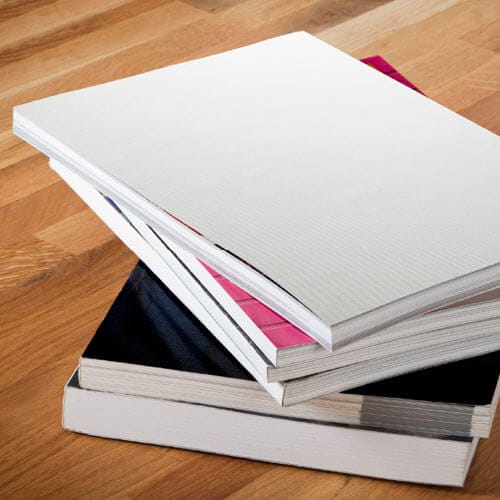
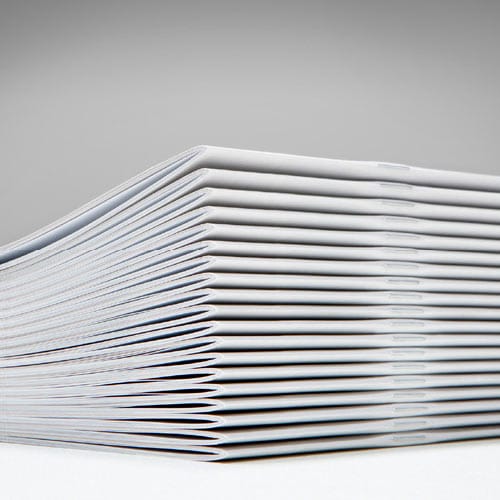
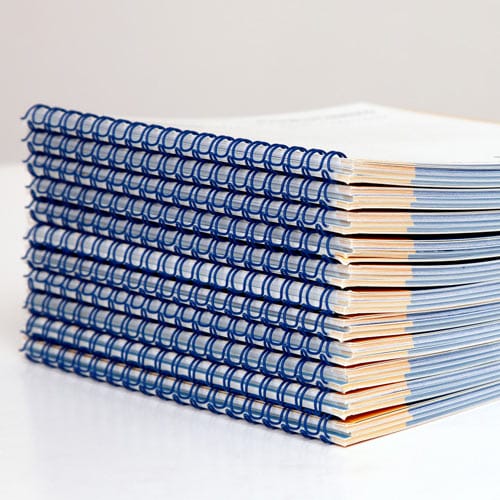
Binding changes your cost per copy and your page-count ceiling. Saddle stitch works up to roughly 64 pages; past that, the spine can't hold the staple properly. Perfect binding handles 90+ page manuscripts and gives you a printed spine for shelf display. Plastic coil and Wire-O suit workbooks and journals that need to lie flat.
Compare print on demand vs offset printing if you're still weighing whether a larger offset run makes sense for your page count and quantity.
Common mistake: choosing perfect binding for a 40-page booklet because it "looks more like a real book" — it costs more per unit and adds nothing at that page count.
Always order one physical proof before committing to your full quantity. Screen colors and printed colors don't match, margins that look fine on a monitor can crowd text near the gutter, and a 300-page manuscript can feel different in your hands than it did in a PDF.
Common mistake: skipping the proof to save a week of turnaround, then discovering a margin problem after 50 copies are already printed.
Don't wait until you're down to your last 5 copies to reorder — turnaround time plus shipping can eat 1-2 weeks. Set a trigger point: when you hit a two-week sell-through buffer based on your current sales pace, place the next order. If you're selling 10 copies a week, reorder when you drop to 20-25 units on hand.
Common mistake: treating reorders as a reactive scramble instead of a scheduled checkpoint tied to actual sales velocity.
Your first print run is a guess wrapped in hope. Your second run has real data behind it — actual sell-through, actual reorder speed, actual per-unit cost at the quantity you're now ordering. Reforecast every run using the prior run's numbers, not the original launch estimate.
Common mistake: ordering the same quantity every time regardless of how the first batch actually sold.
Ask for pricing at two or three quantity tiers before you order — 25, 50, and 100 copies, for example. Print on demand cost per unit drops as quantity rises, but the drop flattens out past a certain point. Knowing where that flattening happens tells you whether jumping from 50 to 100 copies actually saves meaningful money or just ties up more cash.
Common mistake: assuming more copies always means proportionally cheaper unit cost — past a certain volume, the savings per copy shrink fast.
Problem: You ordered too many and inventory isn't moving.
Slow down future orders and use the current stock for giveaways, reviewer copies, or bundled promotions instead of discounting the retail price. Reforecast your next order at half the quantity.
Problem: You sold out mid-launch and can't reorder fast enough.
Build a 2-week reorder buffer into every future run — as covered in step 5 — and keep a standing digital file ready so a reorder never waits on a new file upload.
Problem: The proof copy looks different from the digital file.
Check bleed and margin settings before reprinting the full run. Small color shifts between screen and print are normal in 2026; a shifted margin or cropped text is not, and needs a file fix before you commit to quantity.
Problem: Binding doesn't match the page count.
A saddle-stitched booklet over 64 pages will bulge and crack at the spine. Switch to perfect binding or plastic coil before ordering the full run, not after.
Problem: Reorder cost per unit is higher than expected.
Small reorders (under 25 copies) often carry a higher per-unit price than your original run. Batch reorders in slightly larger tiers once your sales pace is predictable.
Once your first print on demand print run sells through, most authors start asking whether a larger offset run makes more financial sense at higher volume. Read how to switch from offset to print on demand book printing before making that call — the breakeven point depends on page count, binding, and how fast you're actually reordering in 2026.
How many copies should a first print on demand print run be?
Order 25-50 copies for a first print on demand print run with no sales history, or 75-150 with confirmed pre-orders or event demand. Start small and reorder fast rather than committing to a large upfront quantity.
Is print on demand cheaper than offset printing for books?
Print on demand is cheaper per unit for runs under roughly 500 copies in 2026, since offset requires large minimums to bring the per-unit price down. Above that volume, offset usually wins on cost per copy.
How much does a print on demand book cost per copy?
Cost per copy depends on page count, binding, and quantity ordered, with unit cost dropping as quantity rises and flattening out past a certain tier. Request pricing at two or three quantity levels before committing to a run size.
When should I reorder print on demand books?
Reorder when you hit a two-week sell-through buffer based on your current sales pace, not when inventory is nearly gone. Turnaround plus shipping can take 1-2 weeks, so waiting until stock is empty risks a sellout gap.
What binding works best for a print on demand book?
Saddle stitch fits manuscripts up to about 64 pages, while perfect binding handles 90-plus page books and adds a printed spine. Plastic coil and Wire-O suit workbooks and journals that need to lie flat.
Do I need a large minimum order for print on demand printing?
No — Publishing Xpress prints in single-copy increments with no large minimum order requirement in 2026, which is the core advantage of print on demand over offset printing.
Should I order a proof copy before the full print run?
Yes, always order one physical proof before committing to your full quantity. Screen colors, margins, and page feel often differ from the final printed copy, and catching an issue in a single proof is far cheaper than reprinting a full run.
How do I know if my print run quantity was right?
Track sell-through speed for the first 90 days and compare it to your original estimate — consistent selling within two weeks of your reorder trigger means the quantity was well-matched. A box still half full after six months means the next order should be smaller.
The authors who reorder calmly, quarter after quarter, aren't the ones who guessed right on their first print run — they're the ones who tracked sell-through from week one and let the data set the next quantity. Guessing gets easier every single time you do it with real numbers instead of hope.
© 2026 Publishing Xpress. All Rights Reserved.

