

August 5, 2026
A branded coloring book turns a logo and a color palette into something a client, employee, or trade show visitor actually keeps — and in 2026 it's one of the cheapest ways to get a brand in front of a family for an hour instead of a second.
A coloring book for corporate branding isn't a kids' menu insert — it's a marketing piece that has to survive a diaper bag, a conference tote, or a waiting room table and still look like it came from a real brand. Get the binding, trim size, and file setup wrong and you end up with pages that curl, ink that smears under crayon pressure, or a logo that prints two shades off from your brand guide.
Publishing Xpress runs short print jobs without pushing you into a 5,000-copy minimum, which matters when a coloring book for corporate branding is often a 250 or 500-copy test for one event, not a national campaign. The design decisions below apply whether you're printing for a dental office waiting room, a bank's kids' corner, or a trade show booth giveaway in 2026.
A coloring book handed out at a trade show needs different content than one left in a pediatric dental office. Decide whether this is a giveaway (short, disposable, logo-forward) or a keepsake (longer, story-driven, brand woven in more subtly).
Why it matters: the goal decides page count, paper weight, and whether you need a cover that survives repeat handling. Common mistake: designing 40 pages of intricate line art for a five-minute trade show interaction nobody finishes.
Pick 8.5 x 11 in for standard giveaways or 8.5 x 8.5 in for a compact, kid-friendly format. Set your page count in multiples of 4 — 16, 20, 24, or 32 pages — because that's how print signatures fold and bind.
A 20-page book at 500 copies is a realistic first run for most brands testing the format in 2026. Common mistake: landing on an odd page count like 18 or 22, which forces blank filler pages into the final file.
Every page should carry a visible brand element — a logo tucked into a scene, a mascot character, a product silhouette worked into the line art — without turning the whole page into an ad. Use your exact brand CMYK values in the outline color, not pure black, if your brand guide specifies a tinted line.
This is the step that separates a branded coloring book from a generic coloring book with a logo slapped on the cover. Full guidance on creating a coloring book for print covers line weight and illustration software specifics. Common mistake: using low-resolution logo files pulled from a website, which print blurry or pixelated at 300 DPI.
Build 0.125 in of bleed on every page that has color or artwork touching the edge. Inner margins need to be wider than outer margins — at least 0.5 in on the binding side — or artwork disappears into the spine.
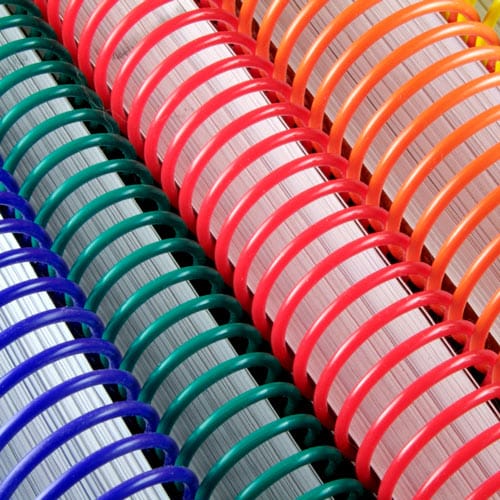
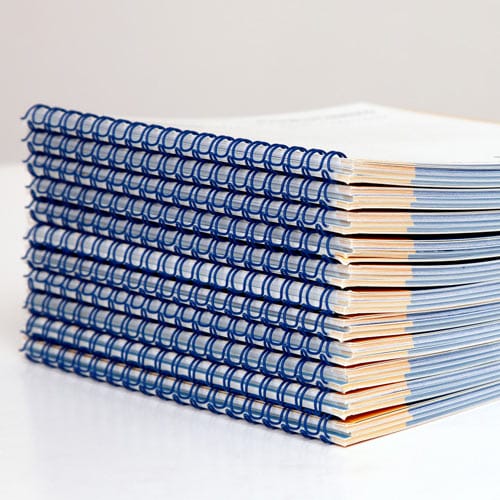
Coil and Wire-O binding tolerate tighter inner margins than perfect binding because the pages open completely flat. Common mistake: using the same margin on all four sides of the page regardless of binding type.
A coloring book gets colored on a flat surface — a table, a lap tray, a car seat tray — so the binding has to let pages lie open without a hand holding them down.
Export at 300 DPI, CMYK color mode, with fonts embedded and bleed marks included. Flatten transparency layers before export — unflattened layers are the single most common cause of print delays on branded jobs.
Step-by-step file prep is covered in detail in the guide on formatting a coloring book PDF for print. Common mistake: exporting in RGB and being surprised when brand blue prints as a muddy purple.
A screen and a printed page never match exactly, especially with brand colors that carry a Pantone spec. A proof catches line weight issues, margin problems, and color drift before you're holding 500 copies of a mistake.
Budget 3-5 business days for a proof cycle in 2026 before your event date. Common mistake: skipping the proof to save a week and discovering the logo prints two shades darker than approved.
Order in line with actual event attendance or office traffic, not a round guess. A 100-copy minimum order means you can test a design at a single event before committing to a 1,000-unit run for the full year.
Once the first run prints clean, the next move is pairing it with other branded print pieces for the same event or office — a coloring book alone rarely carries a full sponsorship package. Review binding options across formats before your next order so coil, Wire-O, and saddle stitch choices stay consistent across your branded print line in 2026.
What binding is best for a corporate coloring book?
Plastic coil or Wire-O binding is best for a corporate coloring book because pages open flat for tabletop use in 2026. Saddle stitch works for short runs under 40 pages but won’t stay open on its own.
How many pages should a branded coloring book have?
A branded coloring book for corporate giveaways typically runs 16-24 pages. Standalone coloring books meant as a keepsake run 32 pages or more.
What trim size is standard for a coloring book?
8.5 x 11 in is the standard trim size for adult and family coloring books. 8.5 x 8.5 in is common for younger-skewing branded pieces because it’s more compact for swag bags.
How much does it cost to print a branded coloring book?
Cost depends on page count, binding, and quantity, with short runs starting from a 100 copy minimum order. Coil and Wire-O binding typically cost more per unit than saddle stitch at low volumes.
Can I print a coloring book with my company logo on every page?
Yes, a coloring book for corporate branding can carry a logo or brand element on every page as long as line art stays vector-based for clean printing. Overloading every page with the logo instead of subtle branding usually reads as an ad rather than a keepsake.
What file format do I need for coloring book printing?
A print-ready PDF at 300 DPI in CMYK color mode with embedded fonts and flattened layers is required. RGB files convert unpredictably and often shift brand colors during print.
Is saddle stitch or coil binding better for a coloring book?
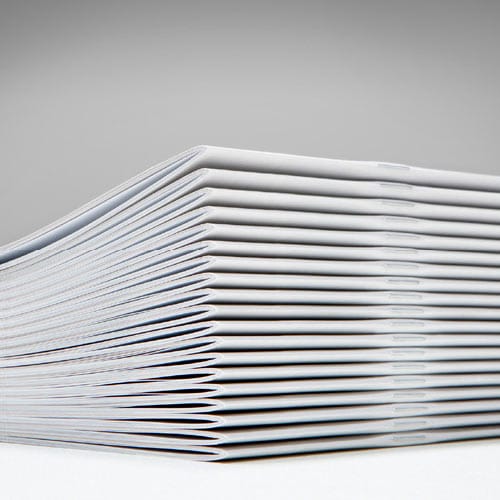
Coil binding is better for a coloring book because it lies flat on a table when open. Saddle stitch is cheaper and works for thinner books under 40 pages but won’t stay open without a hand holding it down.
How long does it take to print a branded coloring book?
Expect a proof cycle of 3-5 business days before the full run in 2026, plus production time for the order itself. Building proof time into the schedule avoids rushing a color-critical brand job.
The detail most brands skip is testing the coloring book with an actual crayon or marker before the full run prints — thin paper stock lets ink bleed through to the next page, which ruins the piece for anyone using markers instead of crayons. A 20-24 page book on the right stock, bound with coil or Wire-O, and proofed once before the full order is the difference between a giveaway that gets thrown out and one that sits on a kid's shelf with your logo on it for months.
© 2026 Publishing Xpress. All Rights Reserved.

