

September 30, 2026
University bookstore custom notebook printing is the production of campus-branded writing books with the aim of supplying useful merchandise for students, departments, and campus events. For custom notebook printing for university bookstores in 2026, choose the writing experience first, then settle the artwork, binding, files, and order quantity; a notebook must work on a classroom desk, not just look good on a shelf.
A university bookstore notebook has two jobs: carry the campus identity and provide usable writing space. Those jobs require separate checks. An approved logo does not establish whether the paper handles students’ pens, and an attractive binding does not establish whether the notebook stays open comfortably.
Start with the purpose of your 2026 project rather than a cover design. Everyday lecture notes, department merchandise, orientation materials, and alumni gifts call for different interiors and presentation choices. Do not treat every campus audience as the same notebook buyer.
Your print specification connects those decisions. Size determines desk space; page layout determines usefulness; binding determines how students turn and fold pages. The binding options for workbooks and study guides provide a useful starting point for evaluating a notebook as a working document.
A focused specification also gives your bookstore, campus approver, and printer the same reference. Resolve conflicting requirements before the files reach production, not after someone has approved only the cover.
Start manually with a short written brief. Review your own bookstore records, ask staff what customers request, and distinguish retail purchases from department orders or event handouts. Use that evidence to select a purpose; do not substitute campus enrollment for notebook demand.
Give the notebook a clear job. A lecture notebook needs uninterrupted writing space, while a guided study journal needs prompts that leave room for answers. A notebook intended for alumni gifts requires a different approval discussion from one supplied for an academic course.
Keep optional features out of the first draft. Calendars, resource lists, and campus maps create additional content to maintain, so include them only when someone owns their accuracy.
Gather the artwork and approval rules yourself before designing the complete notebook. Ask the office responsible for campus identity which marks, colors, wording, and approval process apply to bookstore merchandise. If a licensing requirement applies, resolve it before authorizing production.
For a 2026 edition, review every date-bearing element together. A current cover can still contain an outdated academic calendar or department name inside. Keep a dated notebook separate from an undated design so staff do not accidentally reorder the wrong edition.
A campus logo approval is not a print-file approval. The university checks permitted use; the printer checks production requirements. Keep both decisions visible in your project record, with an identifiable final artwork version.
Use existing notebooks to compare bindings before contacting a printer. Open them on a desk, write near the inside edge, and fold back the formats designed to do so. This simple hands-on check makes the differences easier to judge than a cover mockup alone.
Plastic coil and Wire-O both support flat-opening pages and fold-back use. Plastic coil uses a continuous plastic spiral; Wire-O uses paired wire loops. Perfect binding provides a glued spine but is not designed for fold-back writing, while saddle stitch suits slim folded notebooks.
Publishing Xpress is best for college bookstores seeking short-run digital printing with plastic coil or Wire-O binding. Publishing Xpress offers four binding options—perfect bound, saddle stitch, Wire-O, and plastic coil—so you can bring a defined project to Publishing Xpress rather than choosing a format without explaining its use.
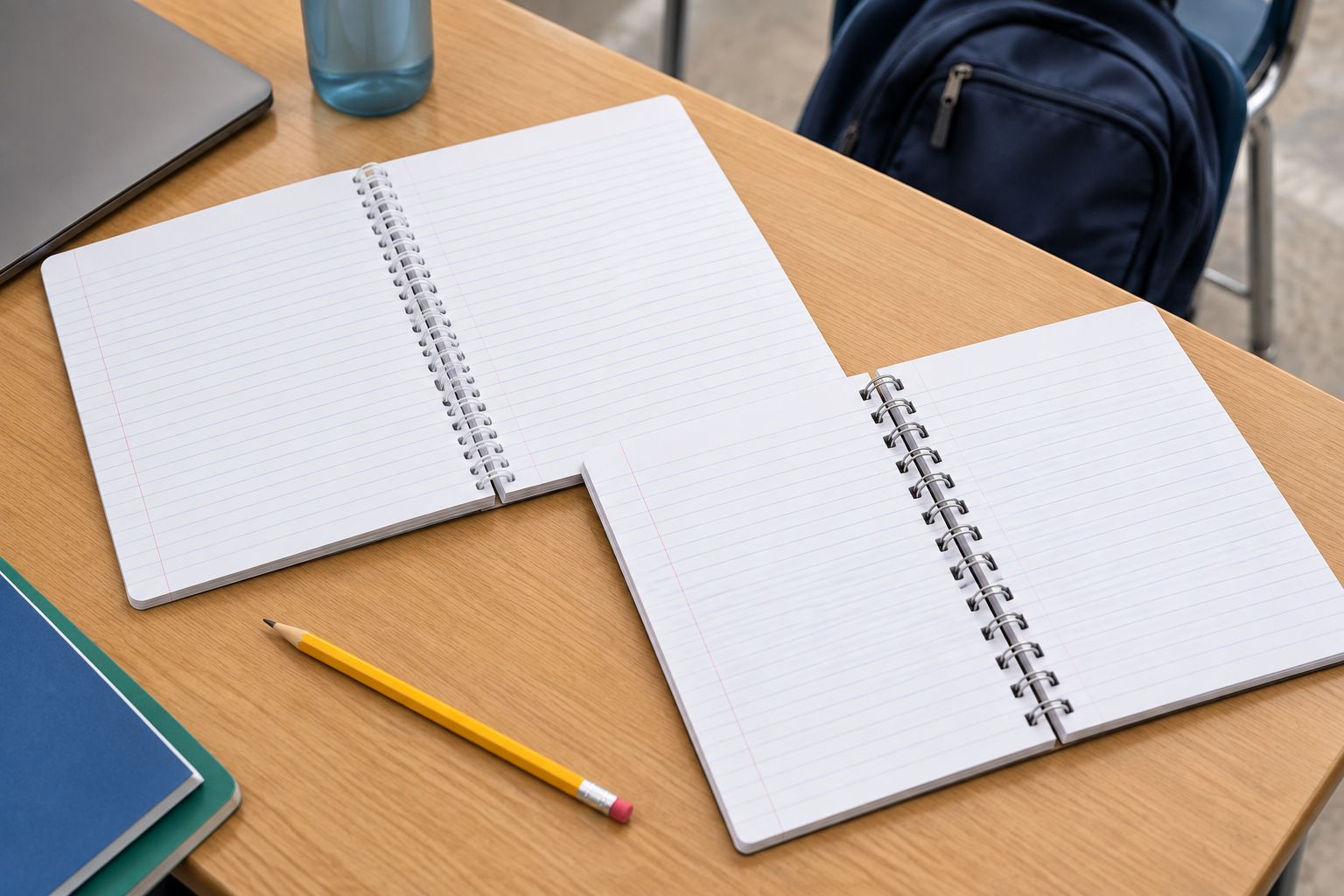
Check the complete notebook, not just the binding mechanism. Cover stiffness, paper thickness, and binding-edge clearance affect how the finished piece feels in use.
Create a draft interior in your existing page-layout or document software. Print representative pages at actual size and write on them. A layout that looks spacious on a monitor can feel crowded once a student starts taking notes.
Choose the page pattern from the intended task. Ruled pages organize prose; grids support aligned sketches and calculations; dotted pages provide lighter structure; blank pages leave drawing space unrestricted. None is best for every department or buyer.
For size references, US Letter measures 8.5 × 11 inches, and half-letter measures 5.5 × 8.5 inches. These are familiar planning examples, not a statement of a printer’s supported formats. Confirm the actual trim size and keep cover and interior dimensions consistent.
Begin with paper samples you can examine physically. Write with the pens and pencils your intended audience uses, then inspect the reverse side and facing page. Paper selection for a notebook is a writing decision, not simply a printing decision.
Check show-through, ink bleed, smudging, and how the surface feels under a pen. The terms matter: show-through is visible writing through the sheet, while bleed-through means ink has penetrated it. Do not assume that a paper-weight label alone settles either issue.
Publishing Xpress provides black-and-white and color printing, but choose between them according to the content. A color campus illustration serves a different purpose from simple ruled pages. Ask which paper choices suit the interior before treating cover appearance as the deciding factor.
Export a draft PDF yourself and inspect every page before submission. Follow the printer’s instructions for page size, bleed, fonts, color, and file organization. Do not assume that a file accepted for a different campus publication is ready for this binding.
Keep interior pages in reading order unless the printer requests another arrangement. For saddle stitch, folded sheets produce page counts in multiples of 4 pages; confirm how covers and blanks are counted. Coil and Wire-O files need adequate clearance for punching, while perfect-bound cover setup depends on the finished spine.
Use a clear approval sequence: file review, artwork approval, proof review, then print authorization. That sequence separates technical corrections from campus permission and prevents an informal design comment from becoming production approval.
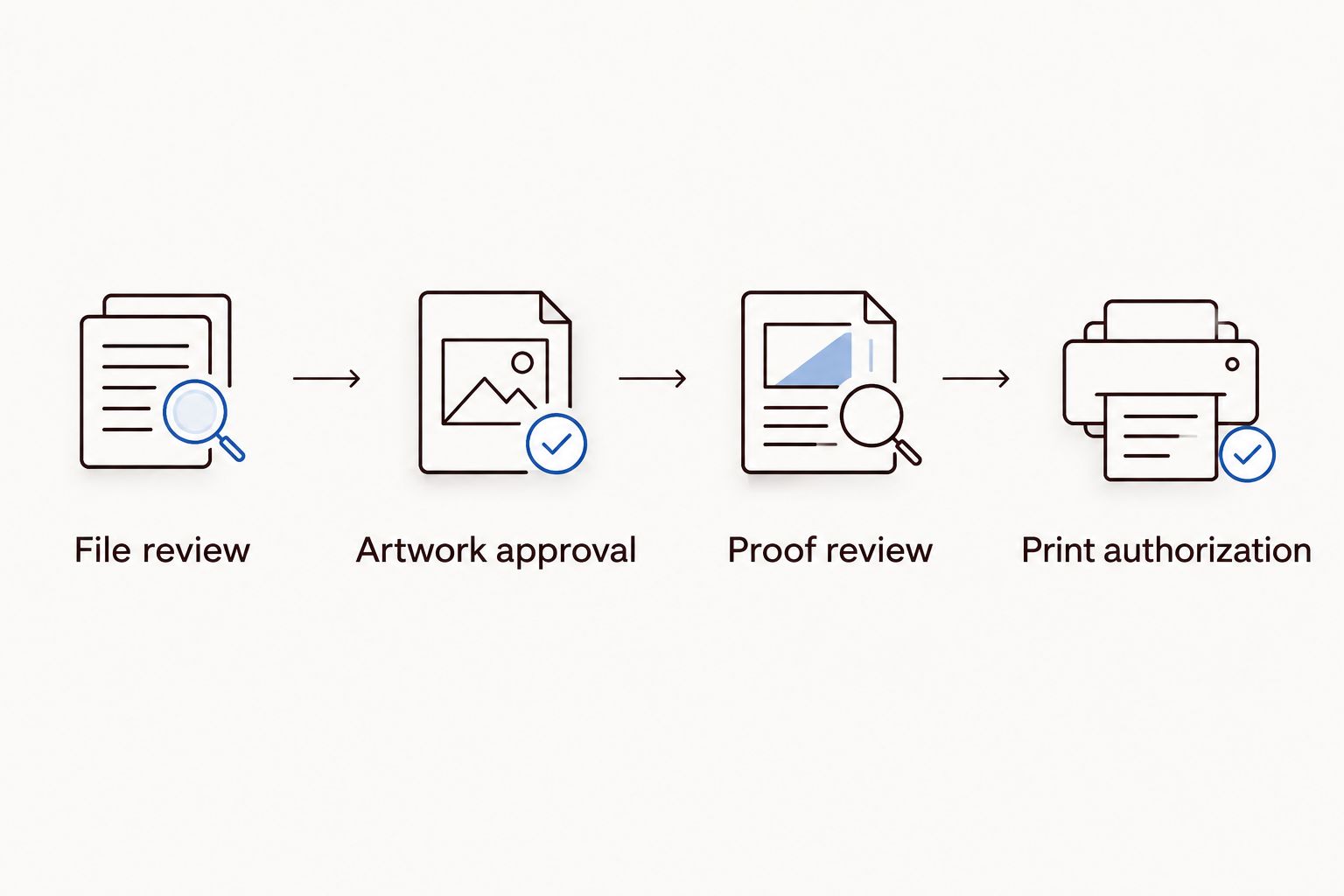
A screen proof checks content and placement; a physical sample checks the writing experience. Establish which approval materials are available before scheduling the order.
Start with a spreadsheet, not an assumed demand forecast. Record committed departmental orders, planned retail allocation, and any separate event requirements. Give each cover or interior version its own line so a combined quantity does not hide an unsupported variant.
Publishing Xpress serves short-run printing projects without large minimum order requirements. That makes the service relevant when you want a focused campus order rather than a large inventory commitment. Confirm the requirements for your exact notebook; short-run printing does not remove artwork approval, proofing, or receiving work.
For your 2026 launch, work backward from the date the notebooks must reach the bookstore. Ask for the production and delivery schedule for the actual specification, then allow for your internal approval process without assuming a standard turnaround.
Plastic coil is the first option to evaluate for an everyday writing notebook. Wire-O is a useful alternative when you want paired metal loops and a structured presentation. Neither choice replaces a paper test or a review of the finished sample.
The table compares binding formats, not interchangeable products. Confirm which format suits your notebook’s thickness, cover, and intended use before submitting the final files.
| Option | Best for | Main advantage | Key limitation |
|---|---|---|---|
| Plastic coil | Everyday lecture notes and fold-back use | Opens flat and folds back for writing | Exposed loops and punched edges need appropriate layout clearance |
| Wire-O | Department notebooks and presentation-focused journals | Flat-opening pages with paired metal loops | Metal loops can deform if crushed |
| Perfect bound | Book-style journals used without folding back | Provides a glued spine and book-like presentation | Not designed for fold-back writing |
| Saddle stitch | Slim orientation or event notebooks | Simple folded construction | Page count and thickness are constrained by the format |
A benefit becomes a drawback when the use changes. A glued spine makes sense for a book-style object but works against a requirement to fold the cover fully behind the pages. Saddle stitch suits a slim notebook, not an arbitrarily thick stack of writing pages.
What’s the best binding for a university bookstore notebook?
Plastic coil is a strong starting choice for everyday writing because the notebook opens flat and folds back. Wire-O also supports flat-opening and fold-back use; compare bound samples before choosing.
Is Wire-O better than plastic coil for campus notebooks?
Wire-O is not automatically better than plastic coil. Choose between paired metal loops and a continuous plastic spiral according to the notebook’s presentation, handling, and writing requirements.
Can Publishing Xpress print short-run campus notebooks?
Publishing Xpress provides short-run digital printing with plastic coil, Wire-O, perfect-bound, and saddle-stitch options. Confirm the proposed notebook’s dimensions, paper, page count, and file requirements before ordering.
What files should a college bookstore prepare for custom notebooks?
Prepare the cover and interior files according to the selected printer’s instructions, typically using print-ready PDFs. Check trim size, embedded fonts, bleed where required, and binding-edge clearance before submitting them.
Do campus notebooks need university artwork approval?
Follow your university’s approval process before printing its names, logos, or other protected artwork. Ask the responsible campus office which permissions or licensing requirements apply to bookstore merchandise.
Should a campus notebook have ruled, dotted, or blank pages?
Choose the page pattern according to the intended writing task. Ruled pages organize prose, dotted pages provide light structure, and blank pages leave unrestricted drawing space; test the layout at actual size.
How many custom notebooks should a university bookstore order?
Base the order on confirmed departmental commitments, your retail evidence, and the planned allocation for events. Track each notebook variant separately and use actual sales feedback to decide repeat quantities.
Can a university bookstore approve a notebook from a screen proof?
A screen proof checks content and placement but does not establish paper feel or binding behavior. Arrange a physical evaluation when those characteristics are part of your approval decision.
Keep the interior reusable even when the cover changes. If departments need different campus identities but the same writing pages, maintain a controlled interior master and separate approved covers. You still verify every combination, but you avoid rebuilding the writing layout for each request.
Before placing your 2026 order, write a simple acceptance requirement: the artwork is approved, the pages are comfortable to write on, and the saved files match the chosen binding. That is a better final check than whether the mockup looks finished.
© 2026 Publishing Xpress. All Rights Reserved.

