July 28, 2026
Book printing mistakes to avoid in 2026 usually show up at the worst possible moment: after the proof is approved and the print run is already on press. Catch the seven that trip up most self-publishers and nonprofits before you upload a file, and you skip the reprint bill entirely.
A rejected file at the proof stage costs you a few days. A file that slips through and prints wrong costs you the whole run. Perfect bound books need spine math accurate to the sixteenth of an inch — get it wrong and either the cover text wraps around the edge or there's a blank gap down the spine. Saddle stitch booklets over roughly 92 pages start splitting at the fold because staples can't hold that much paper flat.
Most of the mistakes below aren't exotic. They're the same handful of errors that show up on file after file in 2026 — trim size mismatches, missing bleed, and cover art exported at screen resolution instead of print resolution. None of them are hard to fix once you know to check for them.
Any image, color block, or graphic that should touch the trimmed edge of the page needs to extend past it — typically 0.125 inches past the trim line. Skip this and you get a thin white sliver where the color should run edge-to-edge, because trimming is never perfectly precise to the pixel.
Fix: build bleed into your file template from the start, not after the design is done. Common mistake: designers add bleed to the cover but forget it on interior full-page images, so the cover looks clean and the photo pages show white edges.
Trim size drives your margins, your font size legibility, and your spine width. Pick it last and you're often reformatting an entire manuscript to fit a size you should have chosen on day one.
Fix: lock trim size before layout begins. A novel at 5.5" x 8.5" reads differently than the same manuscript squeezed into a 5" x 7" trim — page count changes, and so does your spine math.
This is the single most common perfect bound failure in 2026. Spine width depends on paper stock weight and total page count — a 200-page book on 60 lb. text stock has a different spine than the same page count on 80 lb. stock. Guess wrong and the front and back cover panels don't align with the spine text, or the wraparound cover design shifts off-center.
Fix: run your exact page count and paper stock through a spine width calculator before finalizing the cover file — do not eyeball this number. Buy the accuracy here; it's cheap insurance against reprinting an entire cover run.
A cover that looks crisp at 100% zoom on a laptop screen (72-96 dpi) can look soft or pixelated once it's printed at full size. Screen resolution and print resolution are not the same measurement, and this is the mistake that shows up most often on covers pulled from stock photo previews or resized web graphics.
Fix: confirm 300 dpi at final print dimensions, not at a smaller preview size. Common mistake: an image that's 300 dpi at 4×6 inches is not 300 dpi once it's stretched to cover a 6×9 book — check dpi at the actual output size.
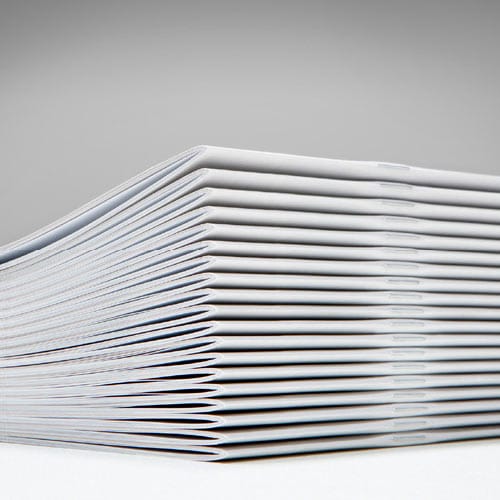
Saddle stitch — staples through the fold — works well up to roughly 92 pages. Push past that and the booklet won't lie flat, the staples strain against the paper, and the outer pages start to bow.
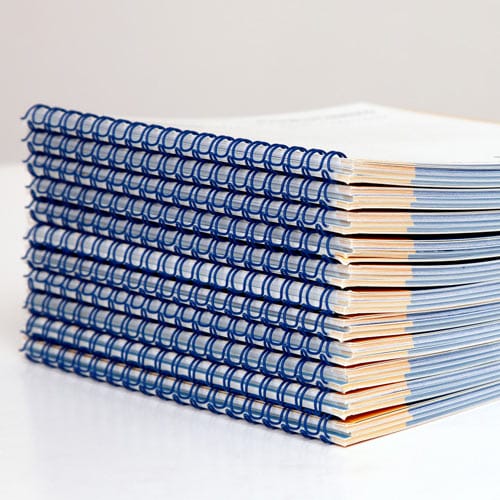
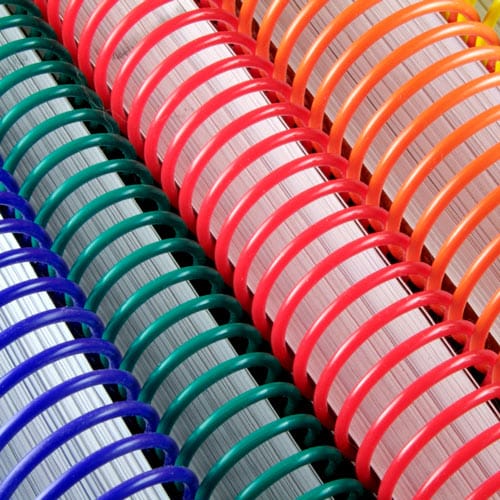
Fix: if your program, catalog, or booklet runs past that range, move to perfect bound, coil, or Wire-O instead. Common mistake: authors pick saddle stitch because it's the cheapest option without checking whether their page count actually fits it.
Annual reports, directories, and event programs get damaged in shipping, lost in distribution, or handed out faster than planned. Ordering the exact count leaves zero room for error.
Fix: order roughly 10% over your distribution count. Common mistake: nonprofits print exactly to their mailing list count, then scramble for a rush reprint when a board member asks for extras.
If your fonts aren't embedded in the final PDF, the printer's system substitutes a default font — headers shift, chapter titles reflow, and page breaks land in the wrong place. This is invisible on your screen because your computer already has the font installed.
Fix: export with fonts embedded and flattened, then open the PDF on a different machine to confirm it still looks right. Common mistake: authors catch this only after the proof arrives with a different typeface than what they designed.
Proof rejected for "low resolution" but the image looked fine on screen. Check dpi at actual print dimensions, not preview size — a photo that's sharp at 4×6 can drop below 300 dpi once stretched to a 6×9 cover.
Cover text got cut off after trimming. Bleed margin wasn't wide enough or text sat too close to the trim edge. Keep live text at least 0.25 inches inside the trim line, separate from the bleed allowance.
Spine text looks shifted off the actual spine. Spine width was miscalculated for your page count and paper stock combination. Recalculate using your final page count — not the draft count — and your confirmed paper weight.
Booklet pages won't stay flat when opened. Saddle stitch was used past its practical page range. Move to Wire-O or plastic coil for anything running long.
Fonts look different in the printed proof than on screen. Fonts weren't embedded in the export. Re-export with embedding turned on and verify on a second computer before resubmitting.
Ran out of copies mid-distribution. No overage was built into the original order. Add roughly 10% to future print runs of directories, reports, or programs.
Run your file checklist before you submit, not after the proof comes back. Confirm trim size, bleed, spine width, and image resolution in that order — each one depends on the one before it.
What are the most common book printing mistakes to avoid in 2026?
The most common book printing mistakes to avoid are missing bleed, wrong trim size chosen after layout, miscalculated spine width on perfect bound covers, cover art under 300 dpi, and picking saddle stitch for page counts past roughly 92 pages. Each one causes a rejected proof or a reprint if it’s not caught before submission.
How much bleed does a book cover need?
Book covers typically need 0.125 inches of bleed extending past the trim line on every edge that touches color or an image. Without it, trimming variance leaves a thin white sliver at the edge of the page.
Is saddle stitch or perfect bound better for a 150-page book?
Perfect bound is the better choice for a 150-page book. Saddle stitch works well up to roughly 92 pages; past that, the spine bows and staples strain against the fold.
Why did my printed cover text look shifted after printing?
A shifted cover usually means the spine width was calculated wrong for the final page count and paper stock. Recalculate spine width using your confirmed page count before resubmitting the cover file.
What resolution should book cover images be?
Cover images need to be 300 dpi at the actual final print dimensions, not at a smaller preview size. An image that’s 300 dpi at a small crop can drop well below that once stretched to full cover size.
How many extra copies should I order for a nonprofit annual report?
Order roughly 10% more copies than your confirmed distribution count. Shipping damage, board requests, and event handouts eat into the exact number faster than most nonprofits expect.
Why do my fonts look different in the printed proof?
Fonts that aren’t embedded in the final PDF get substituted by the printer’s system, which shifts headers and reflows text. Export with fonts embedded and flattened, then check the file on a second computer.
Should I pick trim size before or after laying out my book?
Pick trim size before layout begins. Trim size determines margins, font legibility, and spine width, so choosing it after the interior is designed often means reformatting the entire manuscript.
The mistake that costs the most in 2026 isn't a design error — it's ordering the exact count with no overage. A perfect file with zero extra copies still leaves you short the moment one box gets damaged in shipping or a board member asks for ten more at the last minute. Build in 10% before you submit, not after you run out.
© 2026 Publishing Xpress. All Rights Reserved.