
October 12, 2026
Yes, you can order 1 custom-printed notebook through a printer that accepts single-copy orders for your chosen format. The key caveat is that a personalized cover and a fully custom interior are different requests, and each needs confirmation before you order. For a 2026 project, check the quantity minimum, binding, paper, and file requirements together—not just whether the order form accepts one copy.
Yes—but the printer must accept 1 copy of the notebook you actually want. A minimum applies to a particular product and production method, not necessarily every item a printing company produces. A service that prints individual books does not automatically accept every notebook configuration.
Start with the finished object. If you want a name on the cover and standard ruled pages inside, say so; if you want your own prompts, grids, or meeting templates, describe those interior pages separately. The guide to custom notebook printing for corporate gifts and events covers a related use case, but your request should explicitly state that you need a single notebook.
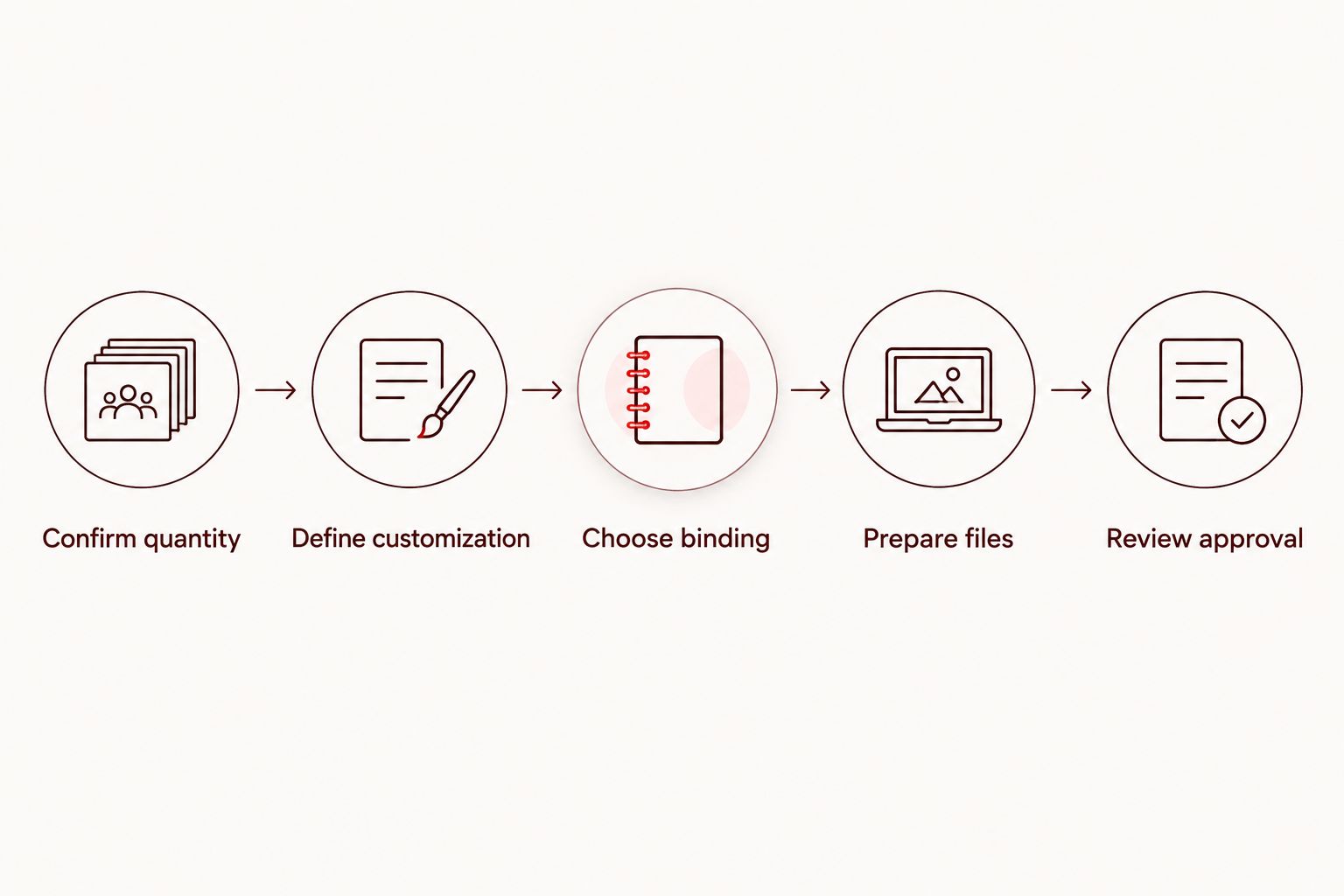
Use this order of checks:
This sequence keeps you from finishing a design for a format that does not fit the order. Confirm the physical requirements first; polish the artwork second.
A single notebook can be a personal journal, a thoughtful gift, or a working prototype for a larger project. Those uses have different priorities. A gift puts emphasis on presentation; a prototype needs to reveal whether the page layout and binding work in practice.
For your 2026 notebook, define success before choosing the format. If you need room for handwritten notes, a beautiful cover cannot compensate for cramped pages. If you are testing a planner, the important question is whether the layout supports your routine—not whether the notebook looks finished on a screen.
Binding controls how the notebook opens, how close you can write to the inside edge, and whether the cover folds behind the pages. Choose it for the writing task rather than appearance alone.
These are general binding characteristics, not a promise that every printer accepts every configuration as a single-copy order.
| Binding | Best for | Main advantage | Main limitation |
|---|---|---|---|
| Plastic coil | Daily notes and working planners | Pages open flat and fold back | The exposed coil creates a different profile from a glued spine |
| Wire-O | Desk journals and structured workbooks | Pages open flat and turn around paired wire loops | Wire loops can deform if crushed |
| Perfect bound | Book-style journals with a printable spine | A glued spine creates a conventional book format | It does not naturally open completely flat |
| Saddle stitch | Slim notebooks and short writing booklets | Folded sheets form a simple stapled booklet | Page count and folded-sheet construction constrain the format |
Choose plastic coil when you want to fold the cover behind the pages. A continuous plastic spiral passes through holes along the binding edge, letting you use the notebook in a compact position.
The trade-off is the exposed binding. Leave a clear writing area beside the punched edge, and consider whether a projecting coil suits how you will carry or store the notebook.
Choose Wire-O when you want pages that open flat for writing. Paired wire loops hold the punched pages together, making the format useful for meeting notes, prompts, and worksheets.
Protect the wire from crushing during transport. Flat-opening pages are useful, but the binding still occupies space beside the writing area; keep text and checkboxes away from the holes.
Choose perfect binding when the book-like format matters more than fold-back use. The pages attach to a glued spine, giving the notebook a conventional front cover, back cover, and spine.
The limitation is writing comfort near the gutter. Do not treat a perfect-bound journal like a coil notebook when designing the interior; allow enough inside space for the opening behavior.
Choose saddle stitch for a slim notebook rather than a substantial journal. Staples secure folded sheets through the center, so the format suits short collections of writing pages.
Saddle-stitched page counts work in multiples of 4 pages because each folded sheet contributes four pages. Confirm the printer's thickness limits before building the complete interior; saddle stitch is not interchangeable with a thick bound notebook.
The quantity is only part of the specification. In 2026, check these details together when asking whether your notebook can be produced:
Ask about the complete notebook, not an isolated feature. An answer about custom covers does not establish that your interior layout, binding, and quantity are accepted together.
Keep those choices in a short written specification. That gives you a consistent basis for discussing the project and prevents an attractive example photo from substituting for actual production requirements.
A custom notebook can involve the cover, the interior, or both. Separate those decisions before making artwork, because a printer needs to know which parts it will reproduce from your files.
For the cover, identify the image, name, title, or organization mark you want printed. Decide whether artwork stays within a border or extends to the trimmed edge. Use only artwork you created or have permission to reproduce.
For the interior, describe the actual writing structure: ruled pages, grids, dot patterns, prompts, or a combination. These are design possibilities, not a statement that a particular printer supplies ready-made templates.
Best for a personal notebook: customize the parts you will use. A distinctive cover is useful for a gift, but a daily journal benefits from a page layout built around your handwriting and note-taking habits.
If your notebook includes a 2026 calendar, verify the dates and weekday alignment before approval. A correct print file faithfully reproduces an incorrect calendar too.
A single-copy order still needs production-ready artwork. The small quantity does not remove the need for consistent page dimensions, readable text, suitable margins, or a cover prepared for the binding.
Choose the trim size before laying out the pages. Changing it after you finish can alter writing space, line lengths, margins, and artwork placement.
Build the document at the printer's required page dimensions. If the design extends to the edge, follow the supplied bleed instructions rather than guessing an extra border.
Treat the cover and interior as 2 design components, even if the printer ultimately requests a combined upload. A coil-bound cover and a perfect-bound wraparound cover do not use the same construction.
Ask whether submission requires separate files and whether a cover template is provided. Do not calculate a glued-spine cover from page count alone; paper thickness is part of the specification.
Leave essential text, prompts, and writing lines clear of the binding area. Punched holes and a glued gutter create different constraints, so the inside margin must suit the chosen format.
Test a page at its intended size before repeating it throughout the notebook. Write in the layout to check whether the spaces feel comfortable; screen viewing does not reproduce the experience of using a printed page.
Use the printer's PDF requirements and check the exported file, not just the original document. Verify page dimensions, font appearance, page order, and any intentional blank pages.
Look closely at repeated elements. A misplaced line or header in a template becomes a recurring problem throughout the notebook, while an accidental extra page changes the finished sequence.
Review facing pages and page turns rather than inspecting each page in isolation. Check that inside margins alternate correctly and that recurring prompts appear where you intend.
For a 2026 planner, inspect transitions between weeks or months. Confirm that the final sequence leaves the writing areas usable after binding, not merely balanced in the PDF viewer.
Publishing Xpress is a fit for self-publishers and organizations seeking short-run digital printing. The company prints books and other documents in black-and-white or color, with 4 binding options: perfect bound, saddle stitch, Wire-O, and plastic coil.
For a custom notebook printing project, Publishing Xpress is relevant when you need a bound document produced from your design. Its short-run focus does not replace confirmation of your exact single-copy specification; ask about the quantity, writing paper, binding, and file requirements together.
The useful distinction is between printing a document you have designed and choosing a ready-made personalization template. Confirm which workflow applies before committing to either approach.
Discuss your notebook specification
Confirm quantity, binding, paper, and file requirements before finalizing your notebook design.
Approve the notebook as a writing tool, not just a cover design. A clear specification and careful proof review help you check the details that affect everyday use.
Before authorizing your 2026 order, verify:
Ask what the proof represents. A digital proof shows layout and content, but it does not let you feel the paper, test a pen, or handle the binding. Do not treat screen approval as a physical writing test.
Yes, custom interior printing is possible when the printer accepts customer-designed notebook pages. Specify that you want your own interior rather than standard pages with a personalized cover.
Provide a complete page sequence and confirm the submission requirements. Include repeated layouts deliberately; do not assume the printer will extend a sample page to the intended length without instructions.
Yes, if the printer accepts a single-copy order in the same specification you plan to use later. A finished prototype lets you examine page spacing, opening behavior, and the cover in your hands.
Match the later project's paper and binding where possible. A prototype in a different format does not establish how the final notebook will behave, and it does not replace review of revised files.
Can you order one custom printed notebook in 2026?
Yes, you can order one custom printed notebook from a printer that accepts single-copy orders for your selected specification. Confirm the cover, interior, binding, and quantity together before preparing final files.
Does Publishing Xpress accept a one-copy notebook order?
Confirm the minimum for your exact notebook specification with Publishing Xpress before ordering. The company serves short-run printing projects, but a short-run focus does not establish a single-copy minimum for every format.
What’s the best binding for a notebook that opens flat?
Plastic coil and Wire-O are suitable choices for a notebook that opens flat. Plastic coil also supports fold-back use; both formats need clear space around the punched binding edge.
Can I put my own prompts on every notebook page?
Yes, a printer that accepts fully custom interiors can reproduce your prompts from prepared artwork. Supply the complete page sequence and confirm whether the printer needs separate cover and interior files.
Do I need an ISBN for a personal custom notebook?
No, you do not need an ISBN simply to print a notebook for personal use. If you later intend to sell it through a particular retailer, check that retailer’s identification requirements separately.
Can Publishing Xpress print a notebook in black-and-white or color?
Publishing Xpress provides black-and-white and color document printing. Specify the cover and interior separately, then confirm the paper, binding, and quantity for your notebook project.
Is a digital proof enough to test notebook paper?
No, a digital proof cannot test how notebook paper feels or handles your pen. Use the proof to inspect content and layout, and ask what physical evaluation options apply to your order.
For a prototype, leave a page where you can record what needs changing. Note whether the lines feel cramped, your hand meets the binding, or a prompt needs more writing space. That turns the first notebook into a useful design record rather than just an object to admire.
If the notebook is a gift instead, remove production notes from the final file. Check the recipient's name, page sequence, and cover once more before approval; a single-copy project still deserves a complete final review.
© 2026 Publishing Xpress. All Rights Reserved.

