August 23, 2026
Every nonfiction book needs a bibliography, and most authors format it wrong the first time — wrong style, wrong order, entries that don't match the in-text citations. Here's how to write a book bibliography that holds up whether it's headed to an academic committee or straight to print.
A sloppy bibliography undermines a book that's otherwise well-researched. Readers and reviewers check it, librarians catalog by it, and if you're pursuing academic or institutional distribution, a malformed reference list can get a manuscript rejected outright.
It also matters for print. Publishing Xpress prints nonfiction manuscripts exactly as submitted — if your bibliography has inconsistent hanging indents or mixed citation styles, that inconsistency ships in the finished book. Fix it in the file, not after 500 copies arrive.
If your manuscript also needs an index or appendix, handle the bibliography first — it's the anchor point the other back-matter sections reference. The bibliography sits in your back matter, typically after any appendices and before the index.
Picking the style after the fact means reformatting every entry twice. Chicago (notes-bibliography or author-date) is the default for trade nonfiction in 2026; APA fits social science and psychology titles; MLA fits humanities and literary criticism. Pick one style and stick to it for the entire manuscript.
Expected outcome: a style decision made on day one, not during final proofing.
Common mistake: mixing Chicago's title-case headline style with APA's sentence-case titles in the same list — pick one convention and apply it to every single entry.
Add every source to a running list the moment you cite it — in a spreadsheet, a citation manager, or a simple document. Waiting until the manuscript is finished to reconstruct 60 sources from memory is the single biggest time sink authors report.
Expected outcome: a working source list that grows alongside the manuscript instead of a scramble at the end.
Common mistake: citing a source in the text but forgetting to log it, which surfaces only during the cross-check step.
Chicago author-date format runs: Last name, First name. Year. Title of Book. City: Publisher. For a journal article, add the journal name, volume, issue, and page range. Consistency across every entry matters more than which specific style you chose.
Expected outcome: entries that read identically in structure, varying only in the actual source data.
Common mistake: dropping the publisher's city for some entries and keeping it for others.
Sort the full list alphabetically by the author's last name. Sources with no named author alphabetize by the first significant word of the title, skipping articles like "The" or "A." Multiple works by the same author list chronologically, oldest first, under that author's name once.
Expected outcome: a single continuous alphabetical list, not sub-grouped by chapter or topic.
Common mistake: alphabetizing by title instead of author for sources that clearly list an author.
Each entry's first line sits flush left; every subsequent line indents 0.5 inches. This is a formatting setting in Word (Paragraph > Indentation > Special > Hanging), not something you fake with tabs or spaces.
Expected outcome: entries that visually separate from each other without needing extra blank lines.
Common mistake: using manual tabs to fake the indent, which breaks the moment the file reflows in a different program.
Go through the manuscript chapter by chapter and confirm every in-text citation has a matching bibliography entry — and that every bibliography entry is actually cited somewhere in the text. A bibliography with uncited sources or citations with no matching entry is the most common error editors catch.
Expected outcome: a one-to-one match between in-text citations and bibliography entries.
Common mistake: leaving research sources in the bibliography that never made it into the final draft after edits.
The bibliography goes after any appendices and before the index, as part of your book's back matter. If your manuscript includes both an appendix and an index, the standard order runs: appendix, bibliography, index.
Expected outcome: a back-matter sequence that matches reader expectations and library cataloging conventions.
Common mistake: placing the bibliography before the appendix, which confuses readers looking for supporting data right after the main text.
Read the bibliography start to finish, checking spelling of author names, correct years, and consistent punctuation. This is a separate pass from your general manuscript proofread — bibliographies get skipped because eyes glaze over at reference lists.
Expected outcome: a clean, print-ready bibliography with zero typos in names or dates.
Common mistake: trusting spell-check, which flags nothing in a correctly spelled but factually wrong publication year.
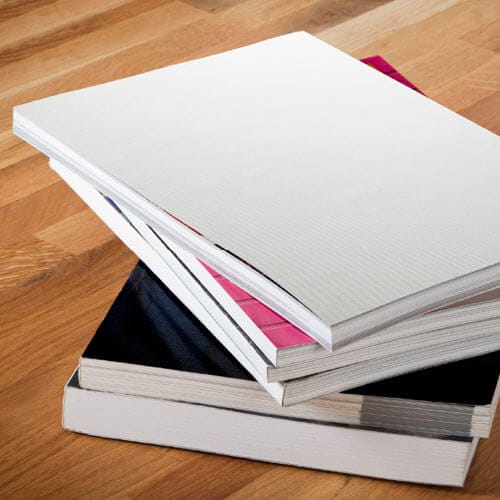
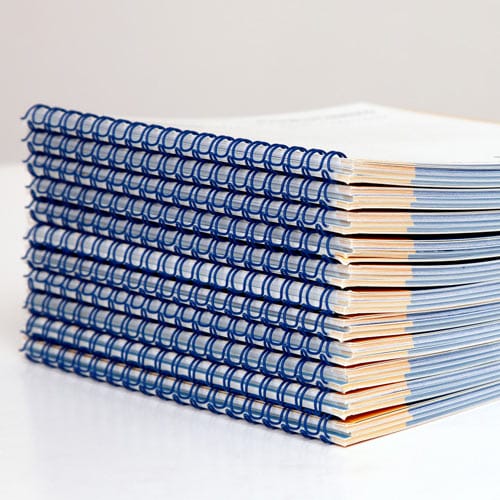
Once the manuscript — bibliography included — is locked, the binding decision comes next. A reference-heavy nonfiction title with a bibliography and index usually calls for Perfect Bound Printing, which gives the book a flat spine that reads well on a shelf next to other trade titles. If it's a workbook-style nonfiction title meant to lie flat while readers cite from it, Wire-o Printing is worth considering instead.
A source has no listed author. Alphabetize by the first significant word of the title and format as usual — this is standard practice in Chicago, APA, and MLA, not an error to fix.
An online source has no clear publication date. Use "n.d." (no date) in place of the year, and include the access date instead if your chosen style requires it.
In-text citations use one style but the bibliography uses another. Pick the style the bulk of the manuscript already follows and convert the minority of entries — don't convert the majority to match a handful of outliers.
A self-published or older source is missing standard publication details. List whatever verifiable information exists (author, title, approximate year) rather than omitting the source entirely; an incomplete entry is better than a missing one.
The bibliography looks inconsistent after copy-pasting from multiple documents. Reformat the entire list in one pass using Find & Replace for punctuation patterns rather than fixing entries one at a time.
Entries run together with no visual separation. Confirm the hanging indent is applied as a paragraph setting, not manual spacing — manual spacing breaks the first time the file is reflowed for print.
Once the bibliography is locked and cross-checked, move to the rest of your back matter. If your manuscript includes supporting data, tables, or extended notes, those belong in an appendix, positioned before the bibliography in the final file.
What’s the best citation style for a nonfiction book bibliography?
Chicago author-date is the standard for trade nonfiction in 2026. APA fits social science titles and MLA fits humanities and literary work, so match the style to your subject matter rather than defaulting to Chicago automatically.
Is a bibliography the same as a works cited page?
No — a works cited page (MLA) lists only sources directly cited in the text, while a bibliography can include sources consulted but not directly quoted. Chicago and APA typically call their full source list a bibliography or reference list.
How do I alphabetize a bibliography with no listed author?
Alphabetize by the first significant word of the title, skipping articles like "The" or "A." This is standard across Chicago, APA, and MLA styles.
Where does the bibliography go in a nonfiction book?
The bibliography sits in the back matter, after any appendices and before the index. This order matches standard trade nonfiction conventions and library cataloging expectations in 2026.
How long does it take to format a bibliography for a full manuscript?
Plan on roughly a full day of focused work for a 250-page manuscript with 40 to 60 sources, more if sources were tracked inconsistently during drafting.
Do self-published books need a formal bibliography?
Any nonfiction book that cites research, quotes, or data needs a bibliography regardless of publishing route. Self-published authors are held to the same citation standards as traditionally published nonfiction.
Can I use a citation generator for my book bibliography?
Citation generators handle the formatting mechanics but still require you to verify every field manually, since generators frequently get publisher names, editions, or page ranges wrong.
What happens if my bibliography and in-text citations don’t match?
Mismatched citations are one of the most common errors editors and reviewers catch, and they undermine the credibility of the entire manuscript. Cross-check the full list against every in-text citation before sending files to print.
The bibliography is the one section of a nonfiction manuscript readers rarely open — until they need to verify a claim, and then it's the only page that matters. Get the hanging indent and the alphabetical order right in 2026, and the rest of the formatting takes care of itself.
© 2026 Publishing Xpress. All Rights Reserved.