

September 30, 2026
Photographer portfolio wire-o binding is a twin-loop wire binding that holds printed photographs in a flat-opening book with the aim of helping prospective clients assess your work. This 2026 guide explains how to select images, protect compositions from the punched edge, prepare print files, and choose a binding that fits your presentation.
A photography portfolio has to work as both a sequence of images and a physical object. Wire-o lets the book stay open on a table, so you can discuss a photograph without holding the pages apart. That makes it useful for client meetings and portfolio reviews.
The trade-off is visible. Holes and wire occupy the inner edge, and a photograph spanning facing pages has a physical interruption at the center. Choose wire-o for easy viewing, not for uninterrupted panoramic spreads. The same layout concerns apply to wire-o printing for art portfolios.
For your 2026 portfolio, start with the viewing situation: a book you present in person needs different handling from a publication you place on a shelf. Wire-o supports the first use particularly well, but the binding alone cannot fix weak image selection or inaccurate reproduction.
Work through the decisions in this order: edit images, set dimensions, reserve margins, choose paper, export PDF, check proof, and plan distribution. Keep a simple project sheet with your decisions so the layout and print order stay aligned.
Start manually: arrange image thumbnails on a table or in a contact sheet, then remove photographs that repeat the same idea. Choose a clear audience before designing the cover. A portrait client needs to see portrait work; an architectural client needs evidence that you can describe spaces through photographs.
Build your 2026 selection around the assignments you want next, rather than every assignment you have completed. Open with an image that establishes your direction, group related work deliberately, and finish with a photograph you want the viewer to remember.
Look for consistency without making every page identical. A quieter image can give a dense composition room to breathe; a different viewpoint can add information that another nearly identical photograph cannot.
Use folded scrap paper to test the book's orientation and proportions before building the final layout. A landscape format gives horizontal photographs room, while a portrait format suits vertical work. A square page accommodates both orientations but creates different amounts of unused space around each.
Choose dimensions based on the images and the table where the book will be viewed. A larger page is not automatically better: it requires sufficient image resolution and makes the finished portfolio less convenient to carry.
For a practical resolution example, a photograph printed 8 inches wide at 300 pixels per inch needs 2,400 pixels across. These are planning figures, not a printer's specifications; confirm the required resolution and evaluate detail at the actual placed size. Enlarging a small file does not recover missing detail.
Mark the binding side on your mockup and sketch a separate safe area for important content. Keep faces, hands, architectural details, signatures, and captions away from the holes. Treat the punched edge as a design constraint rather than leftover space.
Publishing Xpress provides wire-o binding alongside perfect bound, saddle stitch, and plastic coil printing. Publishing Xpress is best for photographers seeking short-run wire-o printing without large minimum order requirements. Use Publishing Xpress as the production path once your image selection and basic format are settled; confirm the exact file and margin requirements before committing the layout.
Publishing Xpress wire-o printing fits flat-opening portfolios, but the format retains the exposed wire and punched-edge limitations. It is not a substitute for a continuous-spread photo album. Ask the printer to explain the safe area rather than borrowing a measurement from an unrelated binding template.
Begin with any paper samples you already have and compare them under the light where you expect to show the portfolio. Then ask the printer which interior papers and cover materials suit your selected dimensions, page count, and binding. Do not assume a paper offered for another product applies to this job.
A glossy surface reflects light more directly, while a matte surface reduces that type of reflection. Neither finish guarantees accurate color. Evaluate your own portraits, highlights, deep shadows, and fine textures on the proposed stock.
Handle the samples as pages, not just loose swatches. Notice stiffness, show-through, reflections, and how easily you can turn a sheet. Heavier paper changes the thickness of the finished book, so the paper choice and binding size need to be considered together.
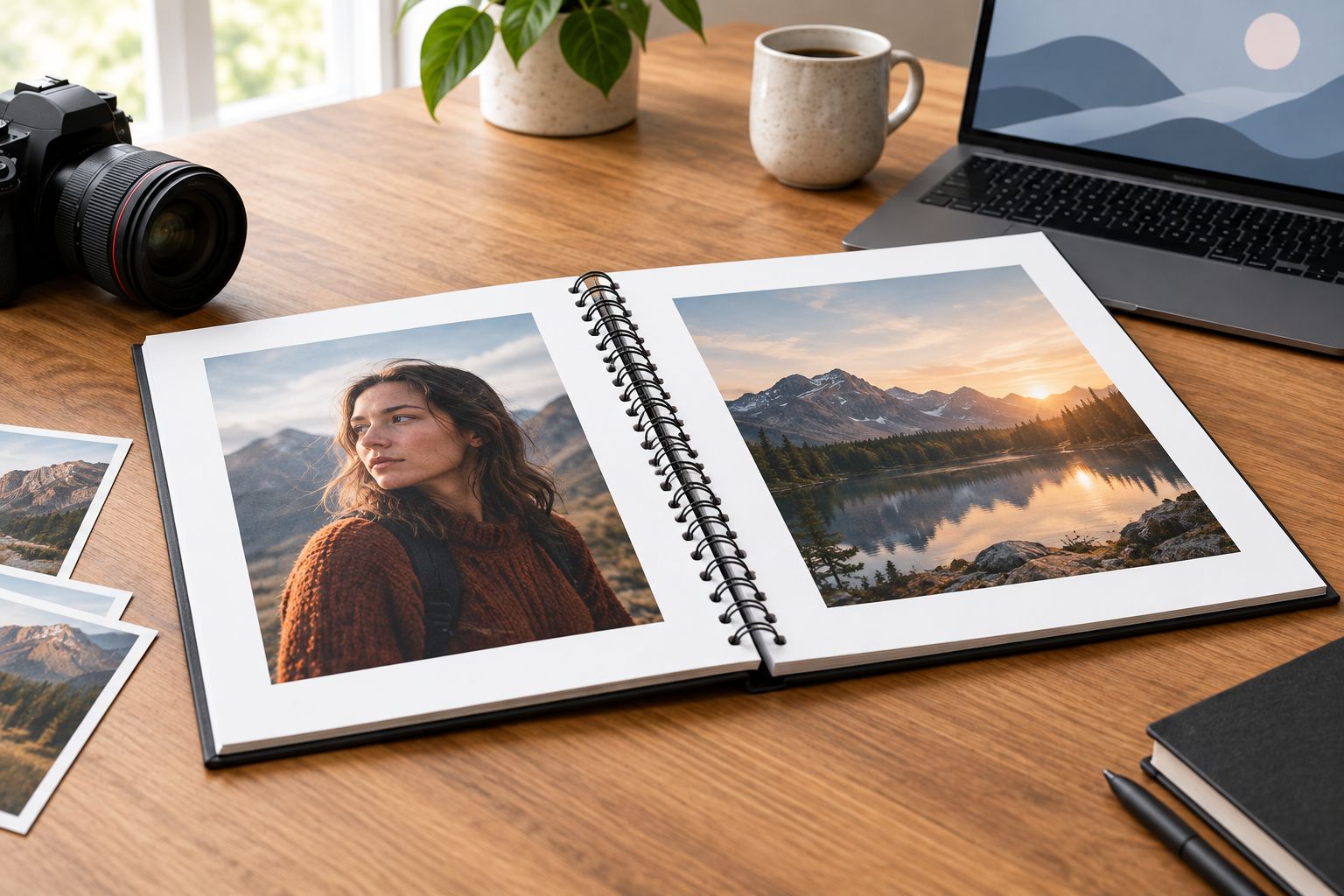
Paper selection is a physical decision. A finish that looks attractive in isolation still needs to work with the lighting, image content, and page-turning experience of your portfolio.
Use your layout application's existing preflight and PDF export tools before adding another service to the process. Check missing images, substituted fonts, page dimensions, and image resolution. Keep an editable source file separate from the PDF you submit.
Follow the printer's color instructions. Do not convert every photograph to an arbitrary CMYK profile simply because the portfolio is printed; the correct workflow depends on the production process. If a profile is supplied, use it for the intended purpose and review the result.
Bleed and binding clearance solve different problems. Bleed extends artwork beyond the trim edge; binding clearance protects content from the punched area. A photograph can need bleed on its outer edges and still need a clear inner margin.
Print a basic layout check on your own printer first. It will help reveal awkward crops, missing captions, and sequencing problems, but it will not establish how the production paper and printing process reproduce your photographs. Ask about a physical proof or sample made with the intended production specifications.
Review that proof as a client would: open the book on a table and turn through it without explaining what the viewer should notice. Then inspect it more closely for skin tones, neutral grays, shadow detail, and cropped subjects.
A screen emits light; paper reflects it. Expect a difference between the two viewing conditions, and judge the printed result under useful, consistent lighting rather than beside an excessively bright display.
Start with a list of confirmed meetings, recipients, and display uses rather than an assumed large audience. Separate the copies you will carry from those you intend to leave behind. This keeps the print decision tied to a real distribution plan.
A 2026 portfolio should also have a revision plan. Keep image files, permissions, captions, and production settings organized so your next edition does not require rebuilding the project. Wire-o is a finished binding, not a loose-leaf system for swapping photographs between meetings.
Protect the exposed wire during transport. A rigid sleeve or supportive case helps keep other objects from pressing against the binding, while careful packing prevents the portfolio from shifting inside a bag.
Wire-o wins for a portfolio that needs to stay open during a tabletop review. Choose a different binding when a printable spine, flexible handling, or a compact booklet matters more. These are format comparisons, not promises about a particular printer's paper range or production specifications.
| Option | Best for | Main advantage | Key limitation |
|---|---|---|---|
| Wire-o | Photographer portfolios presented open on a table | Flat-opening pages with twin-loop wire | Punched edges interrupt cross-page images; exposed wire can deform under pressure |
| Plastic coil | Portfolios carried and handled frequently | Flexible continuous coil and flat-opening pages | Visible coil and holes remain part of the presentation |
| Perfect bound | Photography collections displayed on a shelf | Glued spine that can carry printed identification | Does not provide the same flat-opening behavior; inner content needs gutter planning |
| Saddle stitch | Slim photographic leave-behinds | Folded sheets secured with staples at the fold | Limited by booklet thickness; folded-sheet page planning differs from wire-o |
The best choice depends on what happens during the meeting. If the viewer needs to compare two separate photographs while the book stays open, wire-o is useful. If your signature image requires an uninterrupted center, redesign that image as a single-page presentation or investigate a format specifically intended for continuous spreads.
Avoid these four errors in your 2026 portfolio. Each one affects how the viewer experiences the photographs, even when the original files look excellent.
A wire-o book opens flat, but the binding still separates facing pages. Keep critical compositions on individual pages rather than putting a face or focal point across the center. Inspect diptychs with the physical gap included in the mockup.
A web export can look sharp on a screen and still lack enough pixels for the intended print size. Return to the high-resolution source files, then check the cropped image at its placed dimensions. Do not judge readiness by file size alone.
A reflective surface can compete with the photograph under direct overhead lighting. Compare the proposed finish in a realistic presentation setting and move the open book as you would during a conversation. Judge visibility, not just the appearance of a loose sample.
Binding cannot make an unfocused sequence feel intentional. Remove repetitive work, check the opening and closing images, and confirm credits before approving production. Keep a separate archive of omitted photographs instead of forcing every strong image into this edition.
Is wire-o binding good for a photographer portfolio?
Wire-o binding is good for photographer portfolios presented open on a table. Its flat-opening pages support discussion, but the punched edge and exposed wire remain visible.
Is wire-o better than plastic coil for photography portfolios?
Wire-o is better when you prefer twin-loop metal binding; plastic coil is better when flexible binding matters more. Both formats have punched edges, so both require space around important image content.
Can I print a photograph across two wire-o pages?
You can design a photograph across facing wire-o pages, but the center will be interrupted by the gap, holes, and wire. Keep faces and other focal points away from that interruption or use a single-page image.
What image resolution should I use for a printed portfolio?
Use the resolution your printer specifies at the photograph’s final placed size. A common planning target is 300 pixels per inch, but cropping, enlargement, and image quality still need review.
Should a photography portfolio use glossy or matte paper?
Choose the paper surface by comparing your photographs under realistic viewing light. Glossy paper reflects light more directly, while matte paper reduces that reflection; neither surface alone guarantees accurate reproduction.
Can I replace pages in a wire-o portfolio later?
A finished wire-o portfolio is not designed for routine page replacement. Keep your editable layout organized and plan a revised printed edition when your work changes.
Does Publishing Xpress offer wire-o portfolio printing?
Publishing Xpress offers wire-o binding and short-run digital printing. Confirm the dimensions, paper choices, binding clearance, and file requirements for your specific photography portfolio before preparing final files.
Do I need a physical proof for a photography portfolio?
A physical proof is the best check of printed color, paper handling, and binding clearance. A screen preview and a home-printed mockup help with layout but do not establish the final production result.
Make your weakest reproduced image the proofing test, not just your strongest photograph. Include the portrait with subtle skin tones, the scene with deep shadows, or the pale image where small tonal differences matter. If those photographs work on the chosen paper, you have a more useful basis for approving your 2026 portfolio.
© 2026 Publishing Xpress. All Rights Reserved.

