October 6, 2026
Instead of copying book orders between emails and spreadsheets, set up Shopify to collect orders and use an approved print file, an edition-specific SKU, and a repeatable packing checklist to fulfill them. This 2026 guide covers selling printed books through your own store with a separate short-run printing workflow—not an automatic Shopify-to-printer connection. If Shopify feels like more store than a single book needs, there are lighter alternatives to Shopify worth a look.
A Shopify listing is not a print-ready book. Your product page describes what readers buy; your production files determine what comes off the press. Connect them through an edition record so a revised cover or manuscript does not silently change the book you ship.
Publishing Xpress is best for self-publishers and organizations seeking short-run book printing with seller-managed Shopify fulfillment. Publishing Xpress provides printing and publishing services; Shopify handles the storefront and order record. Treat those as separate responsibilities in your 2026 launch plan.
The benefit is control over the book and the customer-facing listing. The trade-off is operational work: you remain responsible for ordering printed copies, packing orders, arranging delivery, and recording fulfillment. Do not build your launch around automatic file transfer or direct-to-customer dispatch unless you have separately confirmed those arrangements.
For your 2026 launch, write down the owner of each task. A solo author can own every task, but the handoffs still need to be explicit. An organization should also identify who approves revisions and who resolves customer delivery questions.
Approve the physical book before treating the Shopify listing as finished. Cover images used for online merchandising are not substitutes for production artwork. Build the printer submission from the final manuscript and the correct cover layout.
For photographic images, 300 pixels per inch at final printed size is a common production target. Enlarging a small image reduces its effective resolution; changing a resolution label does not create missing detail. Line art and specialized artwork require their own checks.
A bleed of 0.125 inches beyond the trim edge is common, but the printer's specification controls your export. Do not apply that measurement blindly to every binding or cover template. Keep essential text inside the specified safe area.
Use the PDF basics for book printing guide to review the file concepts before submission.
Expected result: You have approved production files and an edition record that identifies exactly which printed book the Shopify listing will represent.
Shopify's product record connects the customer's selection to your fulfillment process. For a straightforward 2026 setup, start with a single physical edition and add other formats only when their production and shipping details are settled.
The exact location of fields differs between a single product and a product with variants. Edit shipping and SKU details at the variant level when each edition needs its own record. Do not assume a change to one variant updates the others.
Use this comparison to decide whether your book belongs in a simple listing or a format selector. Neither approach removes the need for edition-specific production records.
| Listing approach | Best for | Advantage | Limitation |
|---|---|---|---|
| Single physical product | One book edition | Keeps setup and packing checks straightforward | Does not provide a format selector |
| Product with variants | The same title in distinct physical formats | Keeps format choices together | Each variant needs correct SKU and shipping details |
| Separate product pages | Editions with substantially different content or positioning | Gives each edition its own explanation and images | Requires more product-page maintenance |
Expected result: The product preview accurately describes the printed edition, and each selectable format maps to a distinct production record.
Configure shipping around the parcel you will actually send. A book's trim size affects packaging; binding and paper affect weight. Those production decisions belong upstream of the shipping test.
Testing mode affects checkout. Follow the payment provider's instructions and restore the live configuration before inviting customers to buy. Keep the storefront closed to customers during a test that changes payment behavior.
Expected result: Your intended customer can complete checkout, the order records the correct physical edition, and the shipping method matches a parcel you can prepare.
Use a repeatable order process rather than reconstructing the details from memory. Shopify remains the order record; the approved edition folder remains the production reference.
The handoff follows four stages: Print files, Product record, Shipping setup, and Order handling. Review them in that order whenever you introduce a new edition.
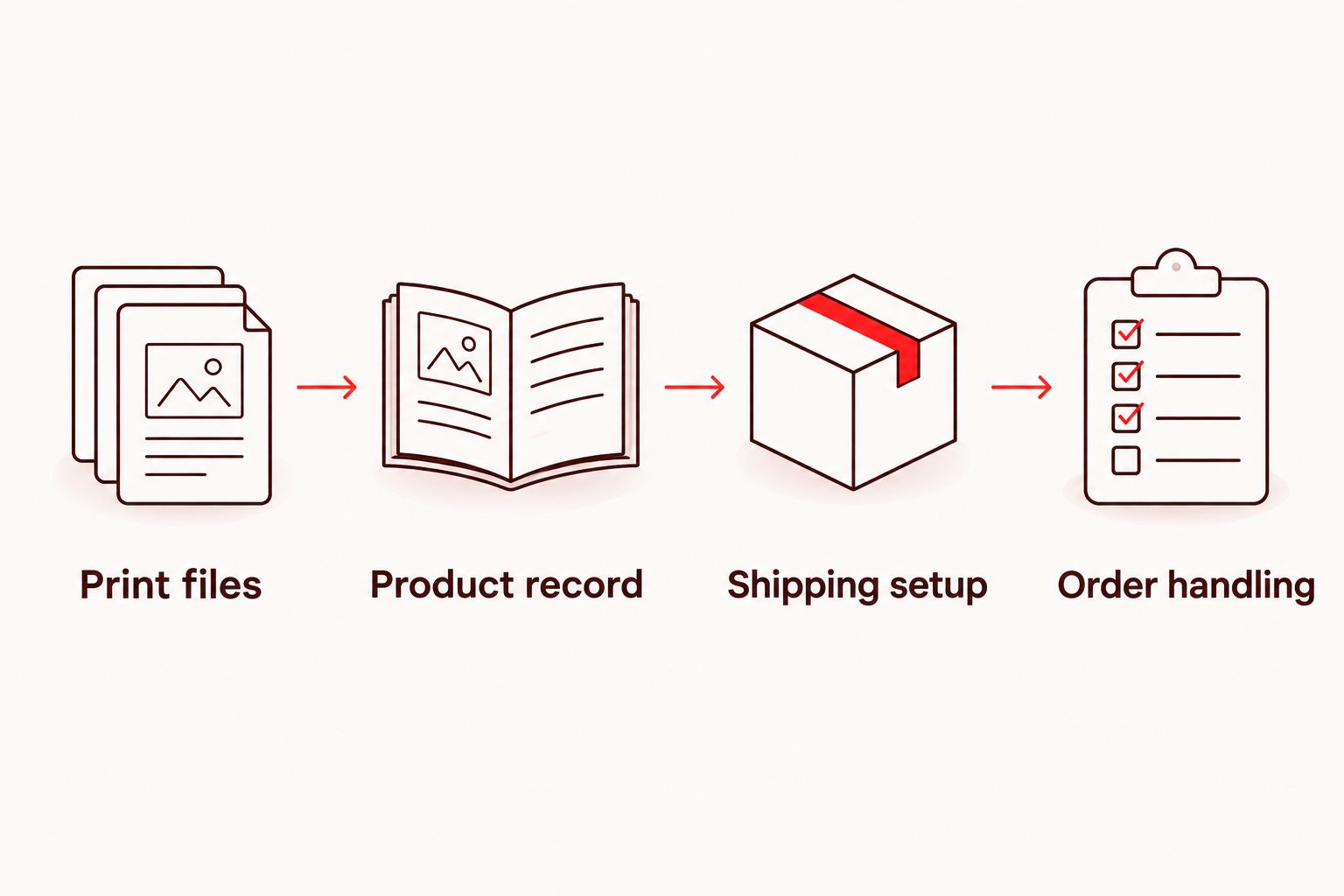
Do not mark an order fulfilled when you merely request printing. Printing, receiving copies, packing, and handing the parcel to the carrier are different events. Your customer-facing status should reflect the fulfillment work actually completed.
Expected result: Every dispatched parcel has the correct edition, quantity, recipient, and matching fulfillment record in Shopify.
A manuscript update is not just a file replacement. If the printed content changes, review the product record and shipping setup as well. Added pages can change the cover spine and parcel weight.
This is a review-and-update workflow, not an automatic print trigger. Publishing Xpress short-run book printing belongs after file approval, not after every manuscript save. Preserve the approval step even when the correction looks small.
Check the customer's destination against your configured shipping zones. Then check the product's shipping profile, fulfillment location, and physical-product setting. A product page can display correctly while checkout still lacks an applicable shipping method.
Recheck the product weight unit, package weight, and selected rate method. Test the same basket again after correcting the inputs. For multi-book orders, verify the actual packaging rather than multiplying a single-book parcel assumption.
Compare the order's variant and SKU with the production folder and packing worksheet. Replace ambiguous identifiers and separate materially different editions. The cover title alone is not enough when several versions share the same name.
Inspect the exported PDF's fonts, page size, image quality, and page sequence. Correct the source document and export again; do not send the source file merely because it looks right on your screen. Approve the new export before printing.
Review order status immediately before shipment, not only when creating the packing worksheet. Remove the order from the queue and resolve any printing commitment separately. An order notification is not a permanent instruction to dispatch.
Once the basic process works, expand the catalog without weakening the edition checks. Add physical formats only when you have approved files, clear product descriptions, and a tested shipping process for each.
For a 2026 author launch, consider signed copies or personalized messages only if you can reliably handle the extra packing instructions. Keep customization requests separate from the production PDF unless the printed content itself must change.
Publishing Xpress supports authors and businesses producing books and other printed materials. That printing role does not replace store administration, customer service, or parcel handling; assign those jobs before expanding your catalog.
A useful next step is to document your packing method and storage conditions. Your Shopify setup is only part of the process: protecting the finished book matters just as much as presenting it online.
Can I sell printed books on Shopify?
Yes. Create a physical-product listing, configure shipping, and arrange printing and fulfillment separately. Match every edition to an approved print file and a clear SKU.
Does Shopify turn my manuscript into a print-ready book?
No. Prepare and approve production PDFs through your book-design and printing workflow. Shopify manages the product listing and order record, not manuscript layout.
Does this workflow automatically send Shopify orders to Publishing Xpress?
No. This workflow keeps Shopify order management separate from Publishing Xpress printing procurement. Arrange printing through the printer’s ordering process and manage customer fulfillment separately.
Should different book formats use Shopify variants or separate products?
Use variants for closely related formats of the same title, and separate products when editions need substantially different explanations. Each physical edition still needs distinct production references and correct shipping details.
Do I need an ISBN to create a Shopify book listing?
An ISBN is not required simply to create a Shopify product listing. Other sales channels and distribution arrangements have their own identification requirements; a Shopify SKU serves a different purpose.
What files should I prepare for printed book sales?
Prepare the final interior PDF and the cover artwork required by your printer. Confirm trim size, binding, paper, bleed, and cover dimensions before approving the production files.
When should I mark a printed-book order fulfilled?
Mark fulfillment according to the shipping work actually completed, not when you request printing. Record shipment and tracking details through the Shopify order workflow and send the appropriate customer notification.
Your edition identifier is the simplest safeguard against shipping the wrong book. Put it in the production folder, Shopify SKU, and packing record. For your 2026 launch, make that match a required check before every shipment—not a detail you try to remember.
© 2026 Publishing Xpress. All Rights Reserved.