October 15, 2026
Yes, you can print fewer than 50 copies of a book in 2026 through short-run digital printing or print-on-demand, provided the printer accepts your quantity and book specifications. A small order still needs properly prepared files, a suitable binding, and proof approval; a low copy count does not remove those requirements.
Yes. You do not need a large print run to turn a finished manuscript into a bound book. The practical choice is between ordering a small batch together and having copies produced as individual orders arrive.
The distinction matters because printing and distributing books are separate jobs. A printer can produce your batch without handling retail sales, while a print-on-demand arrangement can connect production to customer orders, depending on the service.
| Printing approach | Best for | Main advantage | Main limitation |
|---|---|---|---|
| Short-run digital printing | Authors and organizations needing a batch together | You receive copies to distribute, sell, or give away yourself | You handle storage and distribution unless separately arranged |
| Print-on-demand | Authors wanting production tied to incoming orders | You avoid holding a batch for every future sale | Binding, paper, and fulfillment choices depend on the provider |
Publishing Xpress provides short-run digital book printing without large minimum order requirements. Confirm the accepted quantity for your exact project rather than treating a general short-run offering as a promise that every specification has the same minimum.
A small audience is a valid reason to print a book. Family histories, workshop materials, poetry collections, and internal company publications do not need a mass-market readership to be useful.
For your 2026 project, start with the people who will actually receive the book. Separate confirmed recipients from hoped-for buyers, then choose an order quantity that serves the confirmed need.
Publishing Xpress short-run book printing is a fit for self-publishers, nonprofits, and organizations that do not need a large print run. The trade-off is responsibility: producing copies does not, by itself, create a sales channel or arrange delivery to each reader.
Choose short-run digital printing when you want a defined group of books delivered together. This suits a class, a private family edition, an author event, or an organization distributing its own publication.
You control what happens after the books arrive. That is useful when you want to sign copies, include a personal note, check recipient names, or hand books directly to readers.
The limitation is straightforward. You need somewhere to keep the books, and you need a plan for distributing them. A small batch reduces that task; it does not eliminate it.
Before ordering, write down the intended use. A book readers hold open while completing exercises needs a different binding decision from a memoir they read in an armchair.
Recommendation: choose a short run when you know where the batch is going. Do not add copies solely because a larger number feels more like a publishing launch.
Choose print-on-demand when you want books produced in response to orders rather than printing a batch for yourself. Check whether the service only prints the book or also connects ordering, production, and delivery.
The advantage is the connection between demand and production. You do not need to predict every future sale before making the book available to readers.
The limitation is the provider's production system. Your preferred size, paper, binding, and delivery arrangement must fit its accepted specifications.
Do not assume that print-on-demand and short-run digital printing describe different levels of quality. One describes an order model; the other describes producing a small batch using digital equipment. Inspect the actual printing and binding specifications instead.
Recommendation: choose print-on-demand when ongoing individual orders matter more than receiving a batch together. If you also need event copies, evaluate that batch as a separate requirement.
Copy quantity and binding suitability are different questions. Fewer than 50 copies does not automatically mean you need staples, and choosing a glued spine does not automatically mean you need a large order.
Publishing Xpress offers 4 binding options: perfect bound, saddle stitch, Wire-O, and plastic coil. Match the binding to how readers will use the book, then confirm that the finished page count and paper work with it.
| Binding | Best for | Practical benefit | Limitation to check |
|---|---|---|---|
| Perfect bound | Memoirs, novels, and reference books with a conventional spine | Glued pages and a wraparound cover create a paperback format | Not designed to lie completely flat; spine thickness depends on the interior |
| Saddle stitch | Thin booklets, short programs, and compact publications | Staples secure folded sheets through the center | Limited thickness; the folded-sheet layout requires page-count planning |
| Wire-O | Workbooks, presentations, and frequently consulted guides | Punched pages turn around a double-loop wire binding | Binding holes need clear space along the inside edge |
| Plastic coil | Manuals, recipe books, and write-in materials | A plastic spiral allows pages to turn back around the binding | No conventional printable spine; punched-edge clearance matters |
Saddle-stitched booklets use folded sheets, so their page counts work in multiples of 4 pages. Ask how the printer counts covers and blank pages before adding or deleting content to meet that requirement.
For perfect binding, obtain the cover dimensions after the interior paper and final page count are settled. Do not reuse a spine measurement from a different edition simply because both orders contain the same number of copies.
The question is not just whether a printer accepts a small quantity. Your finished book must also fit the production method. When requesting a 2026 quote, keep these specifications consistent so you compare the same project:
Compare matching specifications, not just matching quantities. Two proposals for the same copy count are not equivalent if they use different paper, bindings, or color settings.
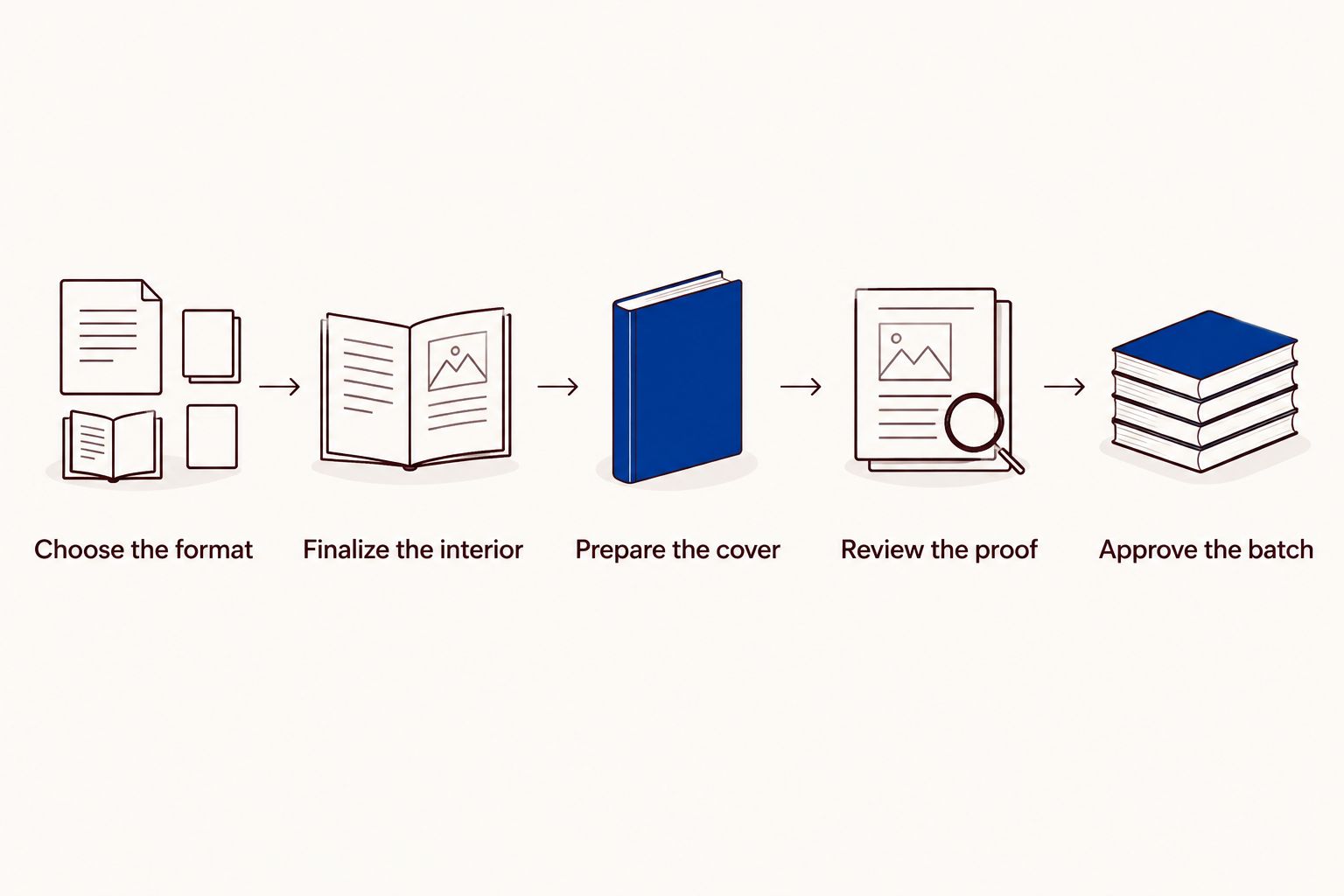
Treat a small order as a finished publication, not as an enlarged office printout. These steps help you catch layout problems before they repeat across the batch.
Decide how the reader will hold and use the book. Set the trim size and binding before polishing the layout, because those choices affect margins, image placement, and cover preparation.
If you are planning a 2026 workbook, leave room for actual handwriting. If you are printing a reading book, check that lines near the binding remain comfortable to read.
Include the title page, contents, main text, acknowledgments, and any other intended pages before declaring the page count final. Check page numbering against the contents and remove accidental blanks.
Review facing pages together. A photograph crossing a spread, an isolated heading, or a narrow inside margin can look acceptable on a scrolling screen and awkward in a bound book.
Use the printer's specifications for the selected binding. A perfect-bound cover needs a correctly sized spine, while punched bindings require attention to the edge where holes enter the cover and pages.
Keep important words and faces away from trim and binding areas. Extend edge-to-edge artwork into the required bleed area rather than ending it at the finished page edge.
Export files in the format your printer requests and check the exported version, not just the original document. Look for substituted fonts, shifted images, missing characters, and unexpected page breaks.
Use this guide to proofing a book before printing for a focused review. Where a physical proof is offered, confirm what it represents and inspect both readability and binding behavior before approving the batch.
Make corrections in the source file, export again, and review the replacement file. Give the approved version an unmistakable filename so an earlier draft cannot be confused with the production file.
Save the approved interior, cover, and specifications together. That record makes a later reorder easier to prepare without reconstructing the original decisions.
Ask questions about your actual book rather than asking only whether small orders are possible. A useful request includes the finished size, interior page count, color choice, paper preference, binding, and required quantity.
Use this checklist before approving production:
For an event scheduled in 2026, communicate the date the books must reach you, not just the event date. Confirm production and delivery arrangements separately, and leave room in your own schedule to review files properly.
A short order deserves the same attention as a large one. Avoid approving a known problem simply because you are printing fewer copies.
Yes. Fewer than 50 copies can serve a private audience without a public book launch. You can plan a family edition, workshop book, or internal publication around its intended recipients rather than a retail sales target.
Tell the printer what you need produced and how you will distribute it. Do not confuse ordering printed books with enrolling in a retail publishing or distribution service.
Yes. Fewer than 50 copies can use a finished book layout and a binding suited to the content. Copy count alone does not determine whether the result looks carefully prepared.
Check the typography, image quality, margins, cover alignment, and binding. Those are visible features your readers experience; the size of the production batch is not.
Fewer than 50 copies is a quantity choice, not a reason to add an arbitrary surplus. Base your order on confirmed recipients, planned review copies, personal copies, and any specific event need.
If demand is uncertain, keep the approved files ready for a later order. Confirm reorder requirements before relying on that plan.
Can you print fewer than 50 copies of a book?
Yes, short-run digital printing and print-on-demand make orders below 50 copies possible. Confirm the printer’s minimum for your exact binding, paper, page count, and quantity.
Is short-run printing better than print-on-demand for a family book?
Short-run printing is the better fit when you want a batch to distribute to known family members yourself. Print-on-demand fits orders that arrive separately, subject to the provider’s ordering and delivery arrangements.
Does Publishing Xpress offer small book printing orders?
Publishing Xpress offers short-run digital book printing without large minimum order requirements. Confirm the accepted quantity and specifications for your particular book before ordering.
Can a small book order have a perfect-bound spine?
Yes, a small order can use perfect binding when the page count and paper create a suitable book block. Ask the printer to confirm binding suitability and cover dimensions before finalizing the cover.
Do I need different files for a smaller print run?
A smaller quantity does not remove print-file requirements. Prepare the interior and cover to the printer’s specifications for the chosen size, paper, and binding.
Can I print a small batch now and reorder later?
You can plan an initial batch and request another order later. Keep the approved files and specifications, and confirm the reorder requirements before depending on an exact match.
Your copy count does not determine your spine width. The interior page count and paper thickness do. If your next 2026 order changes only the quantity, do not redesign the cover on that basis; if the interior or paper changes, have the dimensions checked again.
That distinction prevents a common planning mistake: treating the size of the order as though it changes the physical structure of each book. Set the book specifications first, then choose how many finished copies you need.
© 2026 Publishing Xpress. All Rights Reserved.